

Software company Skylum has announced an identity change for its flagship photo editing app. What most of us have been calling Luminar Neo is now simply Luminar, and the name is far from the only thing that’s different.
The software has also had a mini redesign. Tools that were once scattered across separate pages now sit together in the right-hand menu, which makes hopping between features far quicker. The gray gradient background has been swapped for a sleek black, giving the interface a more professional feel.
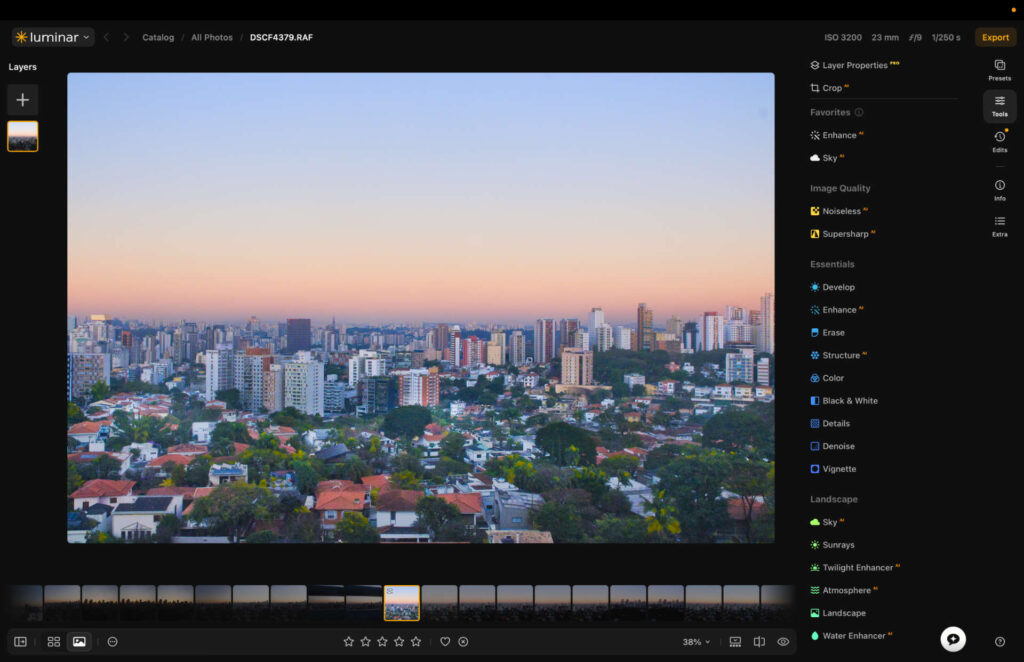
New UI
Under the hood, Skylum is promising better performance too. The company claims exports run 25% faster, preset previews load four times quicker, and masking tools use 33% less RAM.
There’s new camera support as well, covering the Panasonic Lumix DC-L10, Sony A7 V compressed RAW, and the Sony A7R VI. All three are listed as release candidate support, so treat them as preliminary for now.
My First Impressions
I was given early access to the new version, and I came away impressed.
I like the new design, though I’ll be honest with you: it’s a reshuffle rather than a rethink. Nothing here is reinvented. It is the right reshuffle, however, and navigation genuinely feels smoother for it.
Performance felt better across the board. Presets loaded fast, and everything was noticeably more responsive when I was skimming through images, opening features, and making adjustments.
I should note those speed figures are Skylum’s numbers rather than mine, as I haven’t benchmarked them myself. What I can tell you is that the app felt quicker in day to day use.
To give you a better sense of what Luminar looks like now, and how you can use it to edit your photographs, I’ve put together a quick guide video for you to check out.
What’s Coming Later
Skylum says more improvements are landing later in 2026. The press release I received points to better masking and presets, printing functionality, and a new export option with watermarks and frames.
The company is also building a web editor, which will let you edit images straight from your internet browser. I’ll report on all of it as and when it arrives.
What It Costs If You’re New to Luminar
Skylum has rebuilt its pricing around three one-time purchases. You buy the app once and it’s yours, which is still my favorite thing about how Skylum does business.
- Desktop Only, $129. The core editing experience on your desktop, plus the Fall 2026 update.
- All Platforms, $159. Everything above, plus mobile and web apps, and lifetime access to Luminar Web when it lands in Fall 2026.
- Max, $199. Everything above, plus a year of Luminar Prime, 3,500+ creative assets, and over 50 hours of photography courses.
One catch worth knowing before you buy. The AI-powered tools, meaning generative editing, restoration, the AI Assistant, and Spaces, come with 365 days of access on every tier. The app itself is permanent, but that AI window is not.
What It Costs If You Already Own Luminar
Your app stays yours, and nothing changes there. Prime is a new optional subscription that sits on top and keeps the app growing.
It replaces the old system of buying upgrade passes one at a time. While you’re subscribed you get every new feature the moment it ships, and anything unlocked during your subscription is yours to keep even if you cancel later. The Fall 2026 upgrade covers Crop 2.0, Atmosphere 2.0, Enhance 2.0, AI Assistant 2.0, and lifetime Luminar Web.
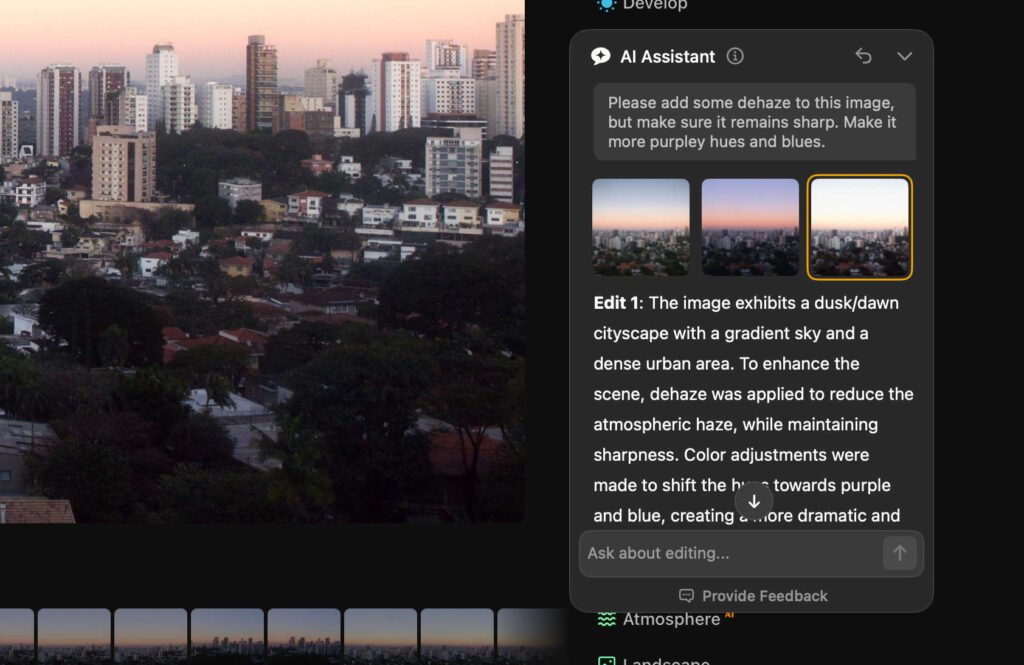
AI Assistant
Prime also absorbs the X Membership, which Skylum is retiring. Its library of presets, LUTs, overlays, skies, and courses now sits inside Prime, though that library only stays available while you’re subscribed.
Prime runs $139 for the first year. There’s a pre-order window open now until August 31 with up to 50% off, and 20% off your second-year renewal. Skylum says prices go up after that.
Should You Buy?
If you already own Luminar, the app you paid for keeps working and you’re under no pressure. Prime is worth a look if you were buying upgrade passes anyway, since one subscription now covers the lot.
If you’re new, the tier you want comes down to whether you care about editing away from your desk. Desktop Only is plenty if you don’t, and All Platforms is the one to take if you do.
You can grab an extra discount on your order with promo code THEMFRAMES10.
Disclosure: Skylum gave me early access to this version of Luminar. The link above is an affiliate link, which means I may earn a small commission at no extra cost to you.
More reading: Honest Long-Term Luminar Neo Review: Read Before You Buy