
I’m constantly curious about how artificial intelligence can improve a professional photographer’s workflow. Pretty much every leading photo editing app has implemented AI into its software, but the question is: which tools are doing it best? I’ve put them to the test and these are the best AI photo editing software for professional workflows.
As professional photographers, time is limited. Many of us are juggling location scouting, creating mood boards, doing the shoots and then editing on top of it all. With that in mind, my main focus during testing was to find AI photo editing software that genuinely speeds up workflows, freeing up time to concentrate on other areas of the business.
It was important to me that the AI didn’t just take over the editing process without any of my input. I still wanted a degree of control to ensure I could implement my own style. I also considered how well each app performs with daily use, how easy it is to get to grips with, and how much it costs.
How I Tested the Best AI Photo Editing Software for Professional Workflows
I tested each software on my MacBook Air M5 laptop, which packs 16GB of RAM, a 10-core CPU and a 10-core GPU. Each software was tested for a minimum of 30 days, giving me enough time to get familiar with the tools and see how they hold up over extended periods of use.
TL;DR: Imagen Is the Best AI Photo Editing Software for Professional Workflows
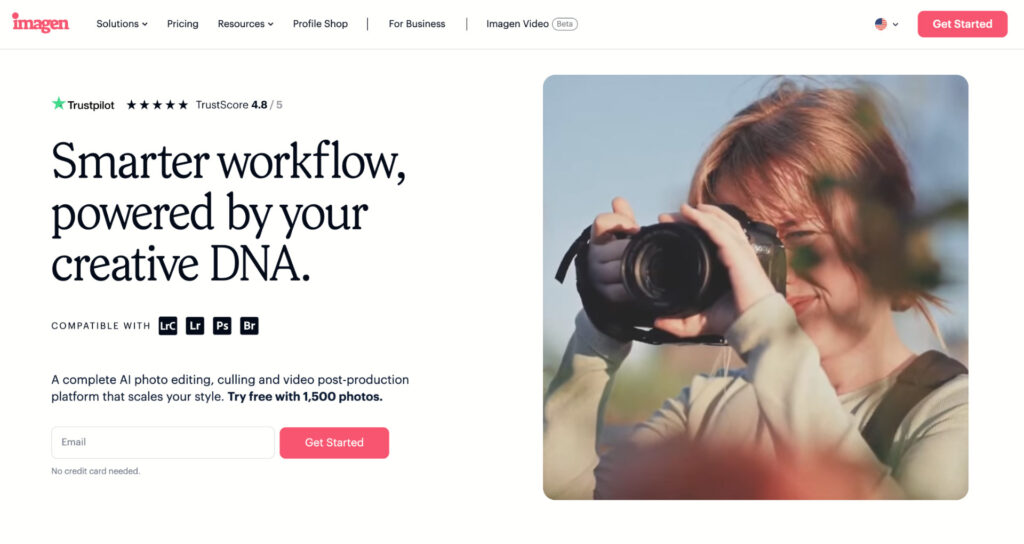
What draws me to Imagen is the ability to train the AI to think and edit like me, without it going off in its own direction. I upload my current editing style, it learns it, and then applies it to future sessions. It’s fast, accurate, and I was able to deliver a portrait session to a client within 24 hours rather than a full business week.
You can try for yourself for a full 14 days thanks to its free trial – sign up now.
Comparison: Best AI Photo Editing Software for Professional Workflows
| Software | Imagen AI | Lightroom | Aperty |
| Best Price | $0.04 per edited image (72,000 images per year). | $119.88 annual plan | $259 perpetual licence |
| Learning Curve | ✅ Very easy – AI takes care of the heavy lifting | Moderate | Easy |
| Learns your dynamic editing style | ✅ Core feature | Presets only | Presets only |
| Editing Speed | ⭐ ⭐ ⭐ ⭐ ⭐ | ⭐ ⭐ ⭐ | ⭐ ⭐ ⭐ |
| AI Image Culling | ✅ | ✅ | ❌ |
| AI Masking | ✅ | ✅ | ✅ |
| AI Noise Reduction | ✅ | ✅ | ✅ |
| Free Trial | 14 days | 7 days | 14-day money back guarantee. |
Imagen AI: The Best Overall for Professional Workflows
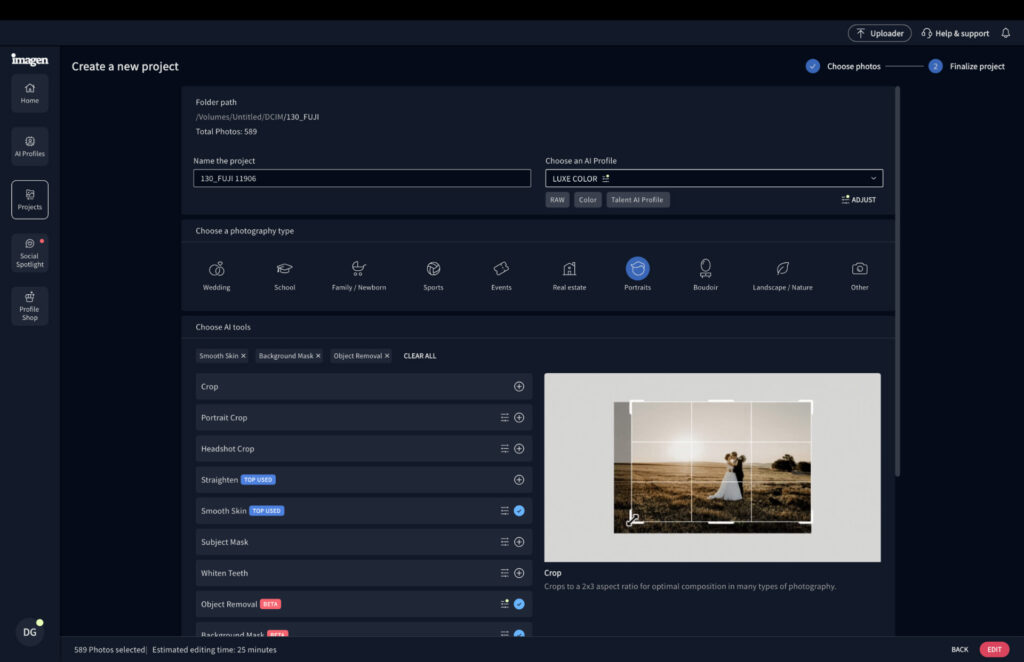
Founded in 2020, Imagen is an AI-powered software that works as your personal editing assistant. Upload around 2,000 of your previously edited images and the assistant learns your style, applying it to every image you need to edit going forward.
This isn’t simply a preset. The app uses dynamic intelligence to apply the correct editing values based on each individual image, rather than a one-size-fits-all approach. It adjusts to different lighting conditions and environments, handling exposure adjustments, color grading and other tasks without you lifting a finger.
It also functions as a culling tool, removing the need to go through every image manually to find your best shots. This is particularly useful for wedding photographers managing anywhere from 2,500 to 5,000 images per wedding.
Imagen AI: My Real-World Experience
The best way to test whether Imagen genuinely speeds up a workflow is to time it. From uploading to finished results, Imagen edited 243 portrait photographs, including minor masking tasks, in around 16 minutes. Working through the same batch in Lightroom, I was only 75% done after two hours.
The edit quality was surprisingly strong. Comparing my manually edited images against Imagen’s output, the results were nearly identical. I only needed minor tweaks to contrast, with color grading, exposure and cropping all landing where I would have put them.
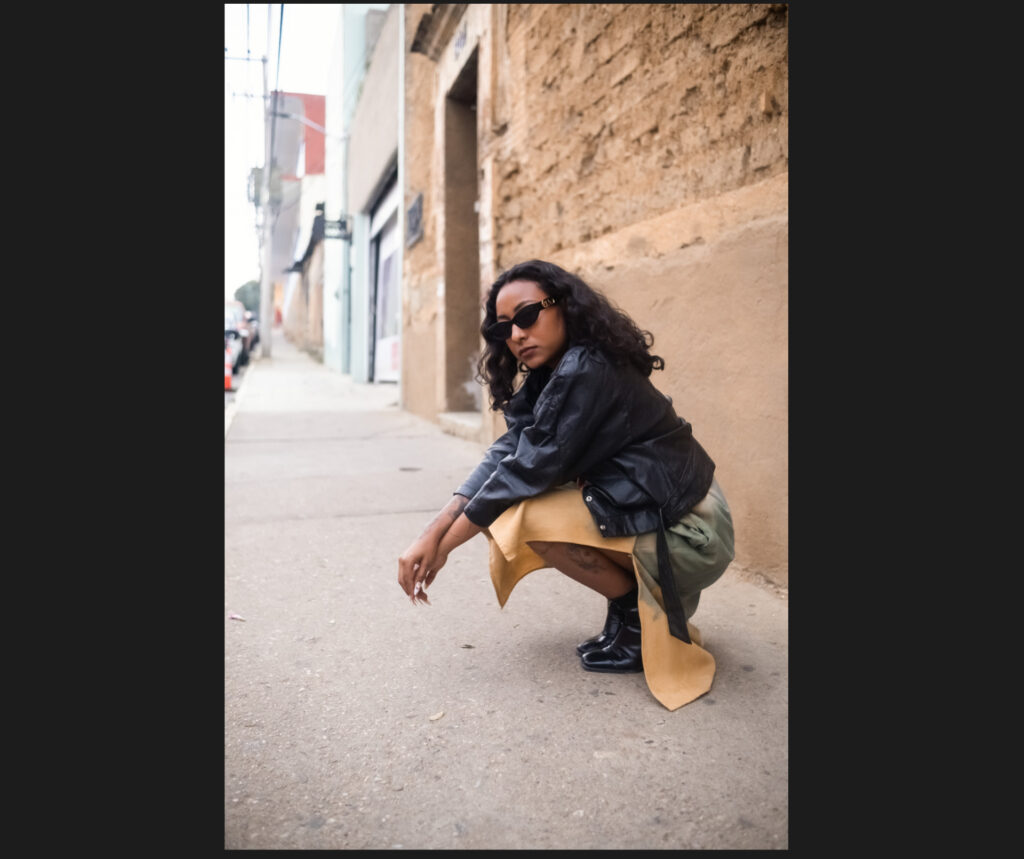
RAW File

After Imagen AI editing
The one area I’d like to see improved is the manual adjustment tools. Rather than sliders, you’re working with numerical values and need to refresh after each adjustment. Smoother controls would take Imagen to another level.
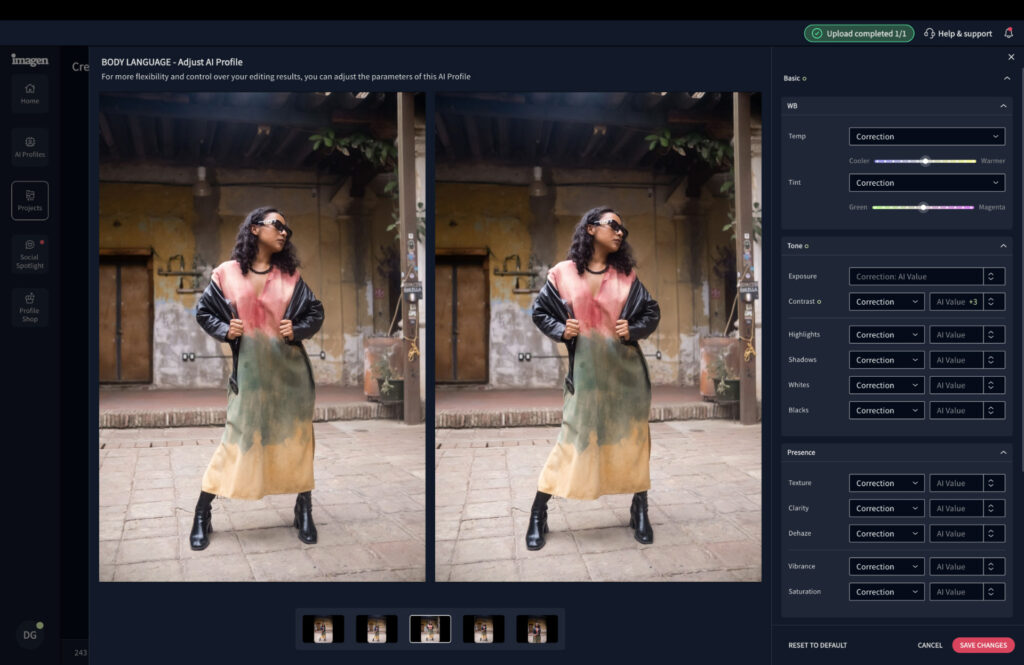
You can tweak and preview the edit prior to Imagen AI working its magic.
AI culling performed well too, landing around 90% in line with my manual selections across 600 images. Even accounting for fine-tuning the final batch, it shaved 25 to 30 minutes off my session.
The software ran smoothly on my MacBook Air. The interface looks different to a standard photo editor, so there’s a short adjustment period, but Imagen guides you through it well and it becomes intuitive quickly.
How Much Does Imagen AI Cost?
Imagen has several pricing options suitable for light users through to multi-photographer studios, with two payment structures: pay-as-you-go and annual subscription.
- PAYG: $0.05 per edited image
- Yearly (18,000 images): $810
- Yearly (26,000 images): $1,530
- Yearly (72,000 images): $2,880
- Enterprise (100,000+ images): speak to the sales team.
Photographers taking one or two paid gigs per month may find the PAYG option works well. Busier professionals should look at plans between 26,000 and 72,000 images, which works out significantly cheaper than hiring a photo editor. The time saved also opens up space for more bookings and increased revenue.
Try Imagen yourself risk free with the 14-day trial. Sign up now.
Lightroom CC: Best for Multi-Device Editing Workflows
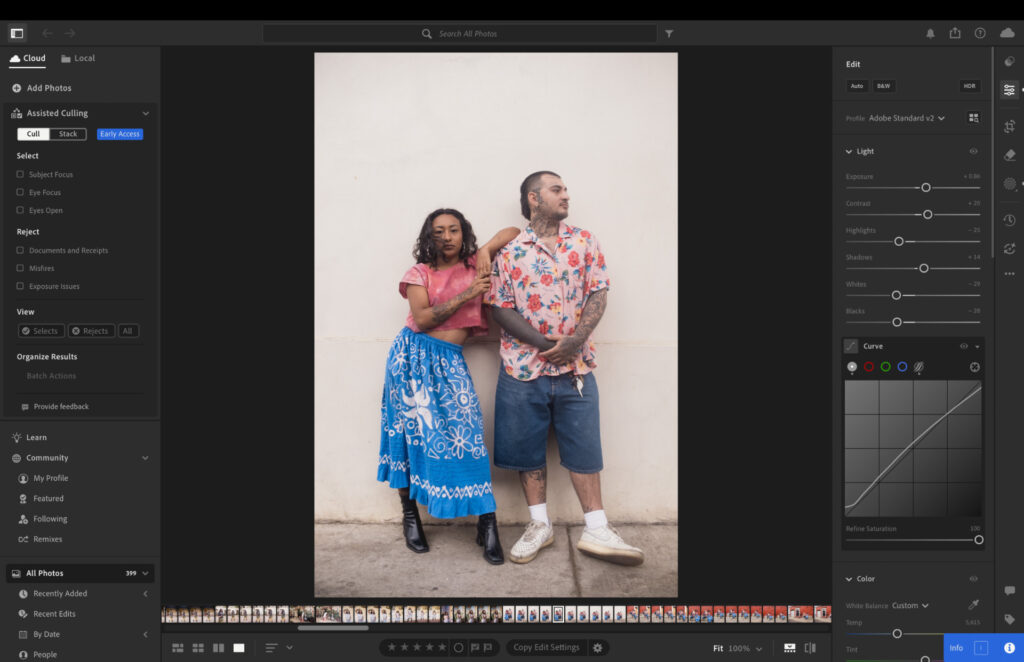
Lightroom is one of the original trailblazers when it comes to incorporating AI-powered tools into photo editing software. While it doesn’t offer the same heavy-lifting as Imagen, its AI features can still make a meaningful difference to your workflow.
The main tools center around masking. What once required multiple layers in Photoshop can now be done in a handful of clicks. Everything from object, reflection and dust removal through to sky, background and subject selection is available, allowing you to make fast, targeted local adjustments.
Adobe has recently added AI culling too, quickly identifying and removing blurred images, duplicates, misfires, and shots with soft or closed eyes. It can also stack photos into groups, pulling together images shot at a similar time or those that are visually alike.
What sets Lightroom CC apart from the others is its cloud-based workflow. You can start editing on your laptop and pick up exactly where you left off on your tablet, without losing any progress.
Lightroom: My Real-World Experience
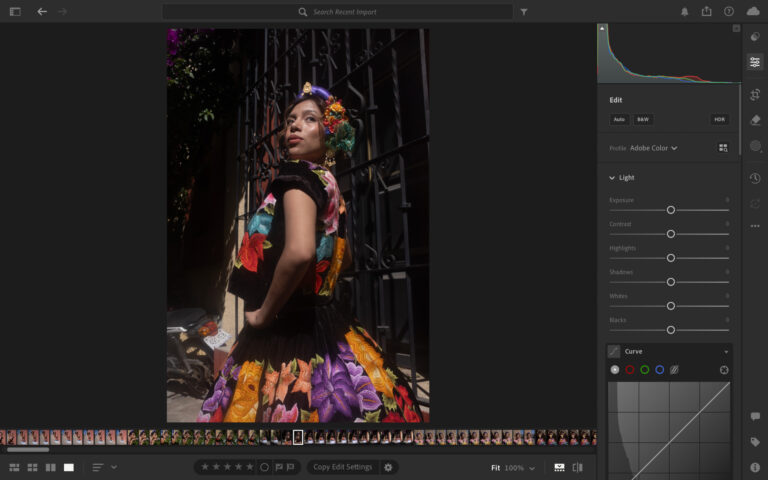
Lightroom is what I’d describe as working well straight out of the box. It has a familiar interface that makes navigating between tools and features straightforward. The more advanced AI features come with brief, plain-language explanations of what they do, so even a newcomer could get up to speed without much trouble.
Testing AI features like object removal produced genuinely impressive results. Even tackling large objects such as trees or cars tended to come back accurate on the first attempt. Occasionally it would misfire and replace an object rather than remove it, but that was the exception rather than the rule. Nine times out of ten, it delivered.
Before AI removal
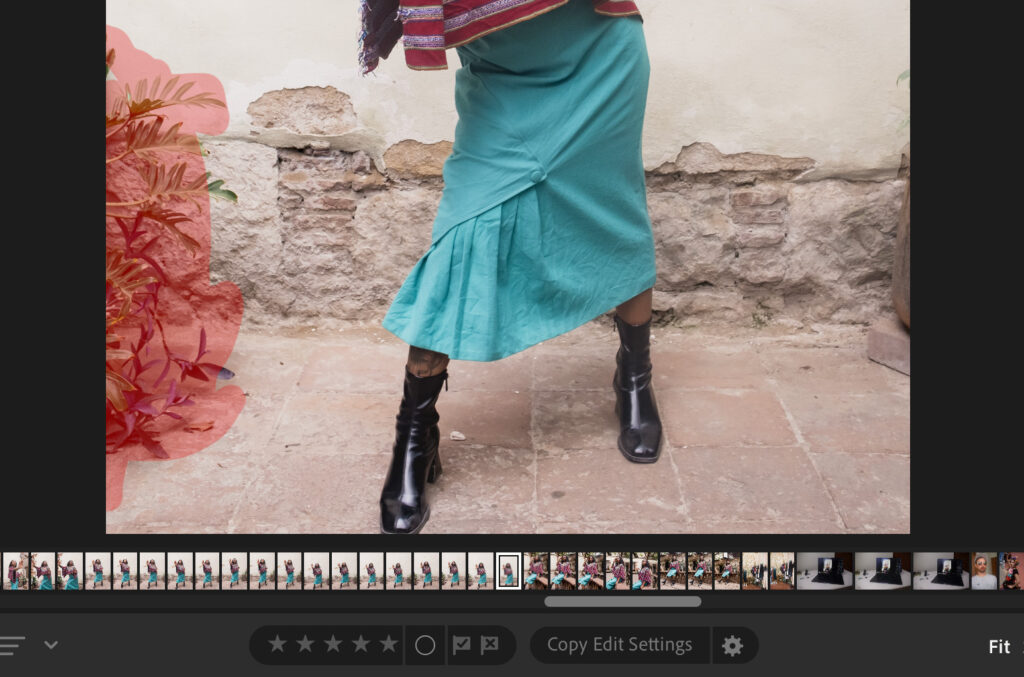
After AI removal
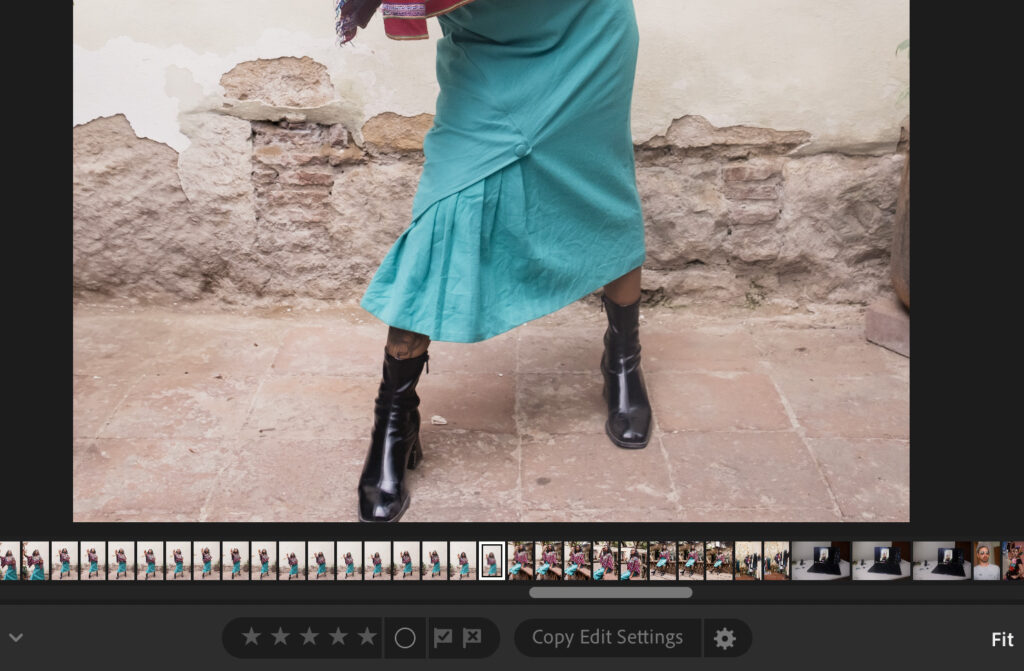
The culling tools were solid, though not quite at the level of Imagen. I had no control over the number of images returned, and Lightroom’s selections were around 65% in line with my own culled images.
Performance was consistently strong, even during long editing sessions. The software, combined with my MacBook Air M5 chip, kept everything responsive, and export times were excellent, with around 600 edited images exported in roughly 15 minutes.
Related: Lightroom vs Lightroom Classic: My 2026 Real-World Verdict
How Much Does Lightroom Cost?
Lightroom’s pricing is fair, especially considering you’re getting one of the leading names in photo editing. There’s no pay-as-you-go option and no perpetual license available. You’re limited to monthly or annual payments.
- Monthly 1TB Lightroom Subscription: $17.99
- Monthly 1TB Lightroom Subscription with 12-month commitment: $11.99
- Upfront Yearly 1TB Lightroom Subscription: $119.98
The annual subscription paid upfront is the best value of the three. Adobe offers a seven-day free trial, so you can get a feel for it before committing.
Aperty: Best for Portrait Photography
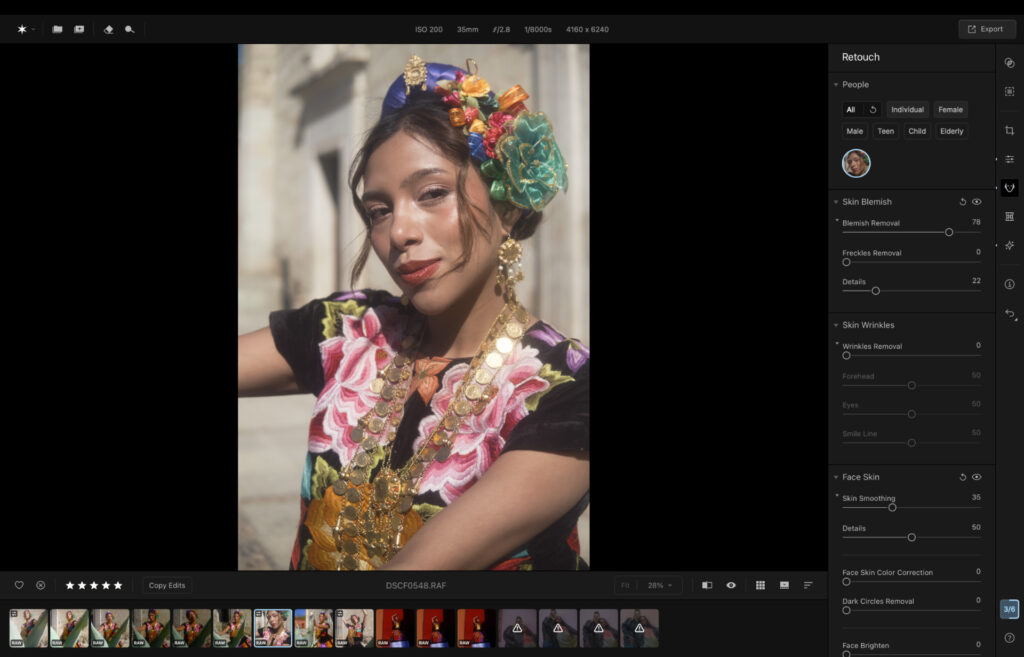
Aperty packs in a serious number of AI tools, and what makes them accessible is how they’re delivered, mostly through simple sliders rather than complex manual selections.
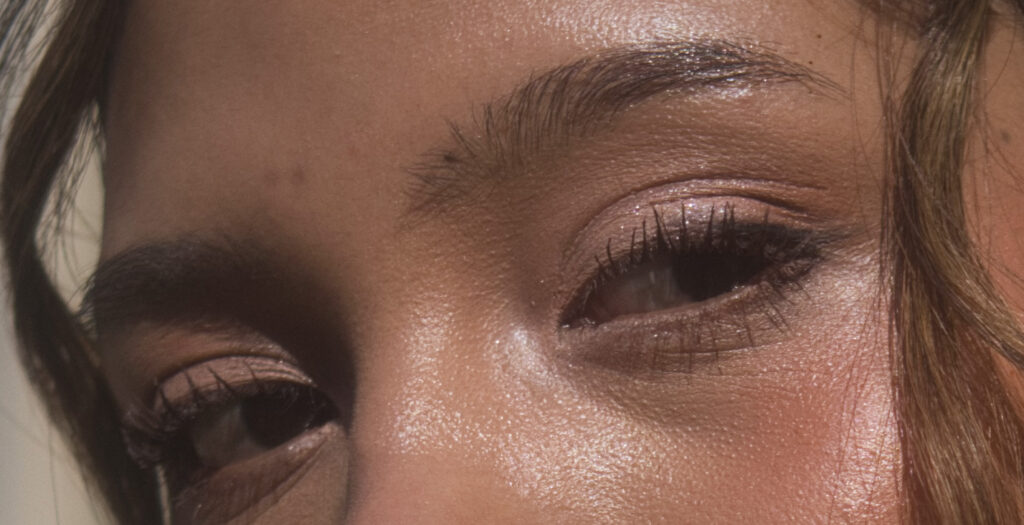
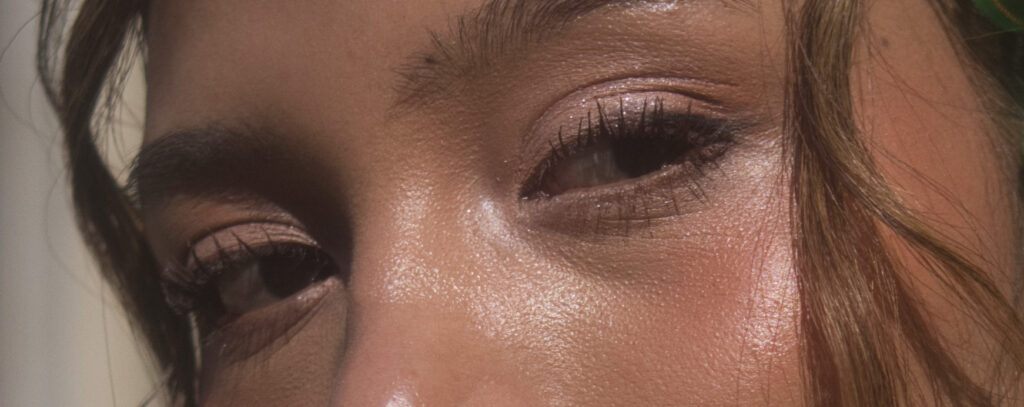
The skin blemish tool is a standout, clearing imperfections automatically without you having to identify each one. Skin smoothing, along with lip and eye enhancements, follow the same drag-and-done approach. You can even push these adjustments across an entire catalog in one go, with results that hold up well.
Object removal is also available. Brush over whatever you want eliminated and Aperty takes care of the rest. It’s hit and miss in practice; when it works, it works well, but it doesn’t always land.
Aperty: My Real-World Experience
I found Aperty easy to get up and running. I didn’t need to hunt through tutorials to figure out where things were, and the slider-driven interface meant I could make nuanced adjustments without feeling out of my depth.
What impressed me most during testing was how natural the skin edits looked. I never once felt like I was pushing results into that over-processed, artificial territory that can be so easy to stumble into with portrait retouching tools.
Before AI blemish removal
After using AI blemish removal
On the organizational side, I could rate images from one to five stars or tap the heart icon to mark my favorites, then sort by rating. It gets the job done. The one gap I kept coming back to was the lack of a search function. I use smart search in Lightroom regularly, and I missed it here. It’s something I hope Aperty adds in a future update.
Related: Aperty Review: Is This AI Portrait Editor Worth the Switch?
How Much Does Aperty Cost?
Skylum gives you three ways to pay: monthly, yearly, or a one-time lifetime purchase that hands you the software outright.
- Monthly: $24.99 (first month $14.99)
- Yearly: $219 (first year $169)
- Lifetime: $259
The lifetime option stands out as the smartest long-term spend, made even more compelling by the fact that ongoing software updates are included, something rarely seen with perpetual licenses. A 14-day money-back guarantee means there’s no real risk in giving it a go.
Sign up for Aperty
Signing Off
AI is no longer something on the horizon for photographers. It’s here, it’s capable, and the time savings are real. The right software can genuinely change how you run your photography business. The key is finding a tool that works with your style rather than overriding it.
For most professional photographers, Imagen is that tool. Nothing else tested comes close to the combination of speed, accuracy and personalisation it offers. It learns how you edit, applies it consistently, and hands you back time you didn’t know you were losing. If you haven’t tried it yet, the 14-day free trial is the obvious place to start.
More reading: Best AI Photo Editor in 2026: Top Picks for Smarter, Faster Edits
Read our Affiliate Statement.