
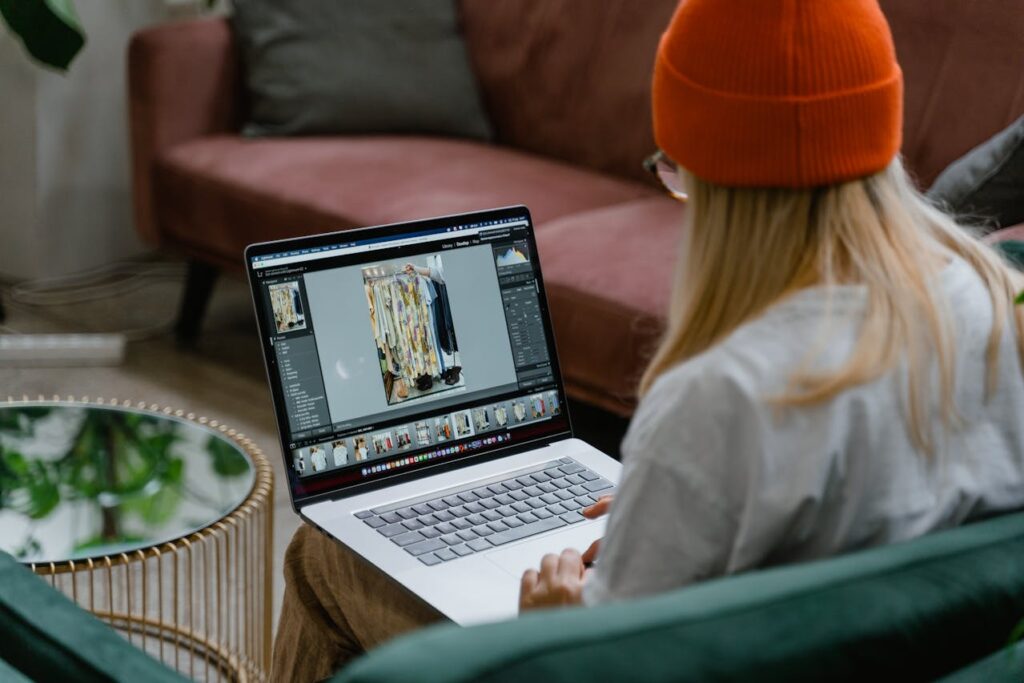
Photo by MART PRODUCTION
AI photo editing has become a huge trend in recent years. All the best photo editing software are jumping on the bandwagon, stating their features are the best for making fast edits that save photographers hours of editing time. But, with all of them making the same claim it can be hard to know which one to choose – so I tested them all and I’m sharing the best AI photo editor currently available.
Not all AI-powered editors are created equal. Some offer incredible automation at the cost of flexibility, while others blend AI with traditional editing tools for the best of both worlds. In this article, I’ll share what I believe are the services striking the best balance of AI convenience and creative control.
I’ll also cover which AI features stand out in real-world use, how pricing compares and whether they’re worth it for beginners, enthusiasts, or professionals running a photography business.
What is AI Photo Editing?
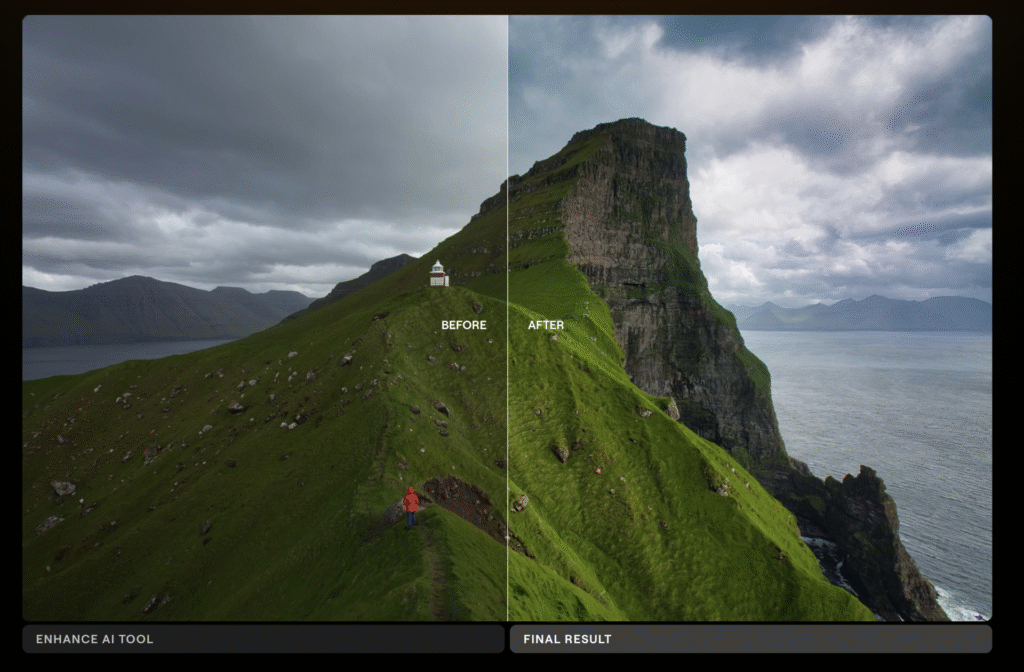
At its core, AI photo editing is the process of passing your manual control over to a photo editing software and letting it manipulate a photograph on your behalf. Now, there’s multiple ways to approach this…
Some software lets you add a text based prompt and then run your edits. At the time of writing, they only allow for minimal edits, and I don’t believe writing a prompt is any quicker than manually making the adjustments in the sliders yourself.
For the most part, the best AI photo editing apps blend its AI tools with features that still give photographers plenty of control. Tasks like removing objects, replacing skies and experimenting with lighting and bokeh now take seconds thanks to intelligent generative AI functionality.
Simply put: AI photo editing is a time saver for mundane tasks, freeing up time for you to get creative with your manual input.
How I Tested the Best AI Photo Editor Apps
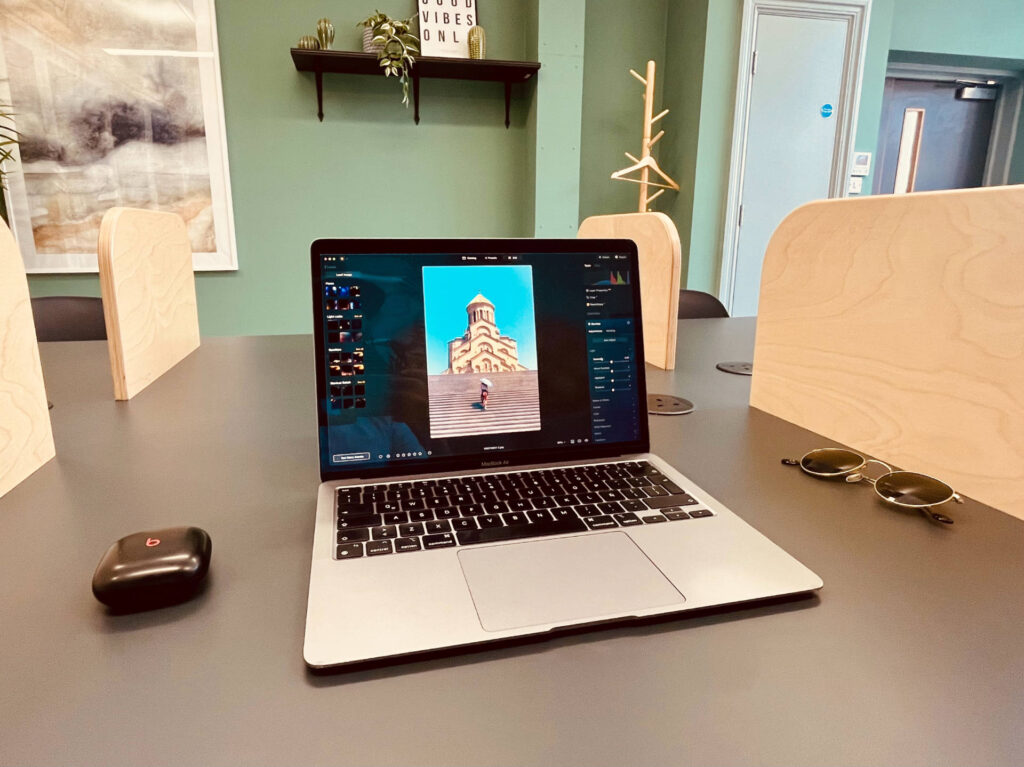
To find the best AI photo editors, I tested each service on my 2020 MacBook Air (M1). It’s the base model, with 8GB of RAM, an 8-core CPU, and 256GB of SSD storage. Despite being five years old, it’s still more than capable of running today’s AI-powered editing software.
I integrated each app into my regular workflow for at least two weeks, paying close attention to AI accuracy, editing speed, and real-world usability. I also tested mobile versions where available, to see how seamless it was to edit across devices.
Related: Best Photo Editing Software for Mac
TL;DR: Why Luminar Neo is the Best AI Photo Editor
If you want the best AI photo editor overall, my top pick is Luminar Neo.
It has the most comprehensive set of AI editing tools, from automated sky replacement to powerline removal, and balances beginner-friendly presets with advanced manual controls. Unlike Adobe Lightroom, it also offers a one-time purchase option, making it far more affordable in the long run.
👉 Try Luminar Neo Use promo code THEMFRAMES10 for an extra 10% discount.
Now, let’s dive into my full list of the best AI photo editors in 2026.
Luminar Neo: The Best AI Photo Editor Overall
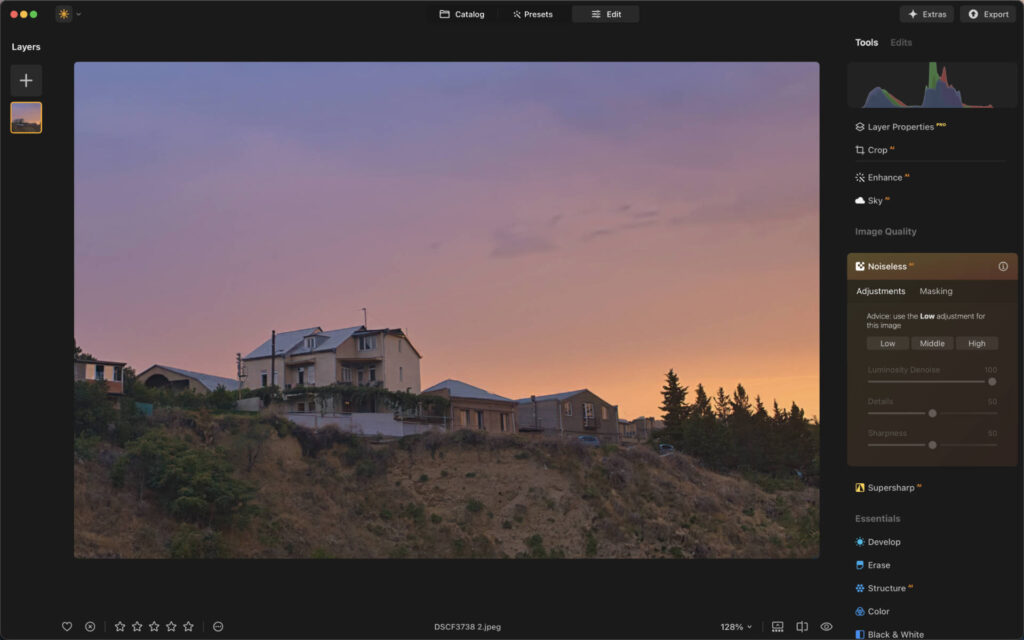
Luminar Neo positions itself as the ultimate AI-powered editor, and the tool lineup makes a strong case for that claim. With over 25 AI tools built in, it handles complex edits that would otherwise take serious time and skill.
The standout is Sky AI, which lets you swap out a flat or overcast sky with one of 35+ presets. It’s the kind of feature that sounds gimmicky until you actually use it — the results tend to be convincing enough to use in real work.
Object Removal AI follows a similar philosophy: click on a distraction and watch it disappear. It won’t always be perfect, but for the majority of everyday culprits — stray tourists, power lines, litter — it does the job quickly.
Portrait photographers will find a lot to like in the Face AI and Skin AI tools. Retouching is applied automatically, but in a way that still looks like skin rather than plastic. Relight AI rounds out the portrait toolkit by letting you adjust the lighting in specific areas of your image after the fact.
Tying everything together is Enhance AI — a single slider that intelligently improves color, contrast, and detail all at once. It’s a good first move on any image, and often you won’t need much else after it.
My Real-World Experience
I found Luminar Neo’s AI tools both powerful and accurate. The powerline removal tool impressed me most, it erased 95% of wires in under a minute without manual clean-up. Performance-wise, even on my older MacBook, edits were snappy and crash-free.
The iOS version is just as impressive, with haptic touch feedback that makes editing almost game-like. There’s plenty of AI functionality on their mobile app as well.
Related: Honest Long-Term Luminar Neo Review: Read Before You Buy
Pricing
- Perpetual Desktop License: $119
- Cross-device License (Desktop + Mobile): $159
- Max License (Desktop + Mobile + Creative Library): $179
There’s a 30-day money back guarantee, so it’s totally risk free to try it and sign up. Use promo code THEMFRAMES10 for an extra 10% discount.
Imagen AI: Best AI Photo Editor for Professional Photographers
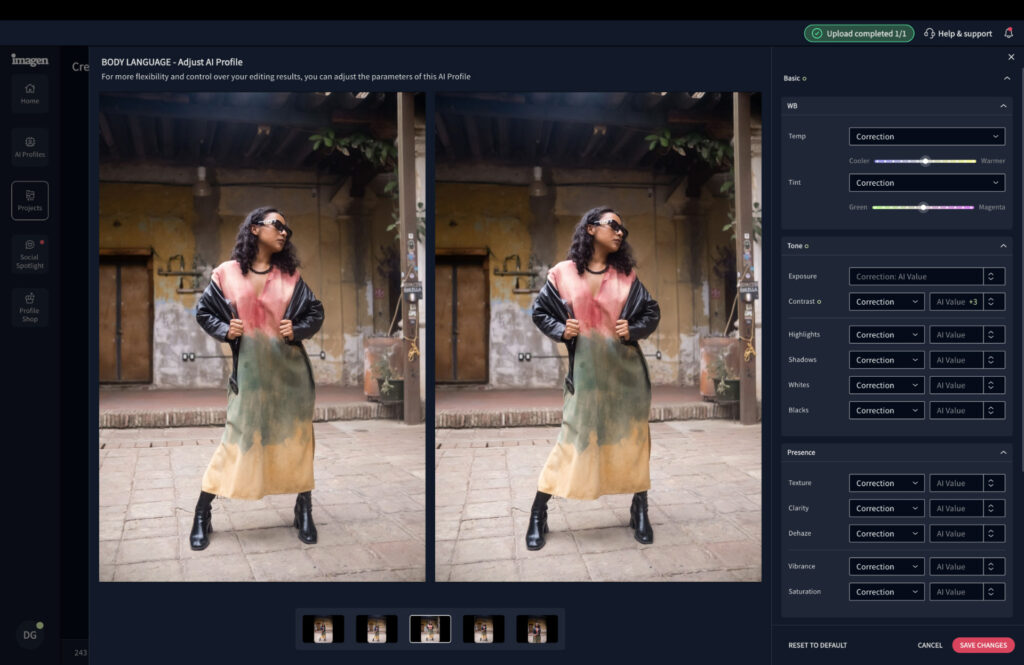
Unlike the other options, Imagen’s total package centers around AI-powered workflows, but with a twist. This isn’t another case of uploading your RAW files and hoping AI does its best.
Instead, through uploading your previously edited photographs, Imagen learns and understands exactly how you edit photographs and then applies your style to future edits.
The best way to get the most out of Imagen is to upload 2000 images. This gives the software the best chance of learning how you edit images in different lighting conditions and environments. There’s also a Lite version, which serves more like a preset and can be useful for quick starts to your editing session.
Because Imagen has become so popular amongst professional photographers, many of their editing profiles are available for purchase. If there’s a photographer whose style you admire, you can use their trained AI editing assistant and apply it to your work.
Culling tools are also available within Imagen, and I consider them to be amongst the best photo culling software currently available. You can cull images to an exact number and separate your final selection into “must keep” and worth a second opinion.
My Real-World Experience
I found Imagen AI’s approach both refreshing and surprisingly accurate. The workflow did take a little adjustment since it doesn’t function like traditional editing software, but once I adapted, it became an effortless part of my professional routine.
It took just 15 minutes to cull, edit, and deliver a full portrait shoot — with 95% of the edits landing right where they needed to be. I only had to make minor manual tweaks to composition and a handful of exposure corrections.
One note: skip the AI Lite profile. It functions more like a basic preset than a true dynamic editor. The main AI profile is where the magic happens.
Orginal RAW File

Edited with Imagen AI

Related: I Tried Imagen AI for 90 Days: The Edits Shocked Me
Pricing
- PAYG: $0.05 per image
- Yearly: Limitless Use – $1548 ($129 per month)
Casual shooters will love the flexibility of pay-as-you-go. High-volume pros can dramatically cut editing costs with the annual plan.
Lightroom: Best Cloud-Based AI Photo Editor
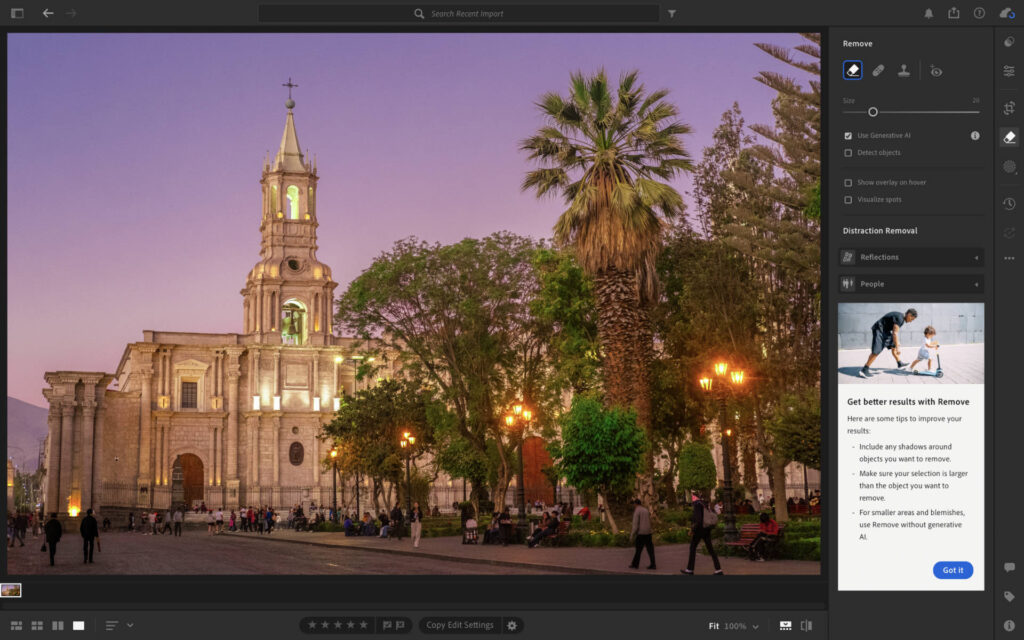
Adobe Lightroom has held the top spot in photo editing for a long time, and it isn’t giving it up anytime soon. It may not lean as heavily into AI as some newer competitors, but what it does offer is woven smartly into a workflow that professionals already trust.
AI Masking is the most useful of the bunch. Rather than painting selections by hand, Lightroom can automatically identify the sky, your subject, or the background — and do it accurately enough that manual cleanup is rarely needed.
Content-Aware Removal handles the kind of small distractions that would otherwise send you over to Photoshop. It’s not magic, but for straightforward removals it keeps you inside Lightroom and moving forward.
Adaptive Presets are where the AI integration feels most subtle. Instead of applying a one-size-fits-all look, Lightroom reads the content of your image and tailors the preset accordingly — a portrait and a landscape shot can get the same preset applied and still come out looking appropriate.
For photographers already inside the Adobe ecosystem, none of this requires a change in habits. The AI tools slot into the existing workflow rather than demanding a new one.
My Real-World Experience
Lightroom shines with its file management and cloud syncing. I loved being able to pick up edits on my iPhone exactly where I left off on my Mac. The AI masking is incredibly accurate—isolating subjects or skies with near-perfect precision.
That said, Lightroom isn’t as creative with its AI tools compared to Luminar Neo. It’s more about precision and workflow efficiency.
Pricing
- Monthly Lightroom + 1TB Cloud: $17.99
- 12-Month Commitment: $11.99/month
- Annual Plan: $119.98
The main downside in terms of pricing is that there’s no perpetual license, meaning that subscriptions are the only option. If you’re a long term user this can really hike up the price you pay for photo editing apps, hence why I tend to recommend a service offering a one time fee.
Related: Best Lightroom Alternatives
ON1 Photo RAW Max: The Most Versatile AI Photo Editor
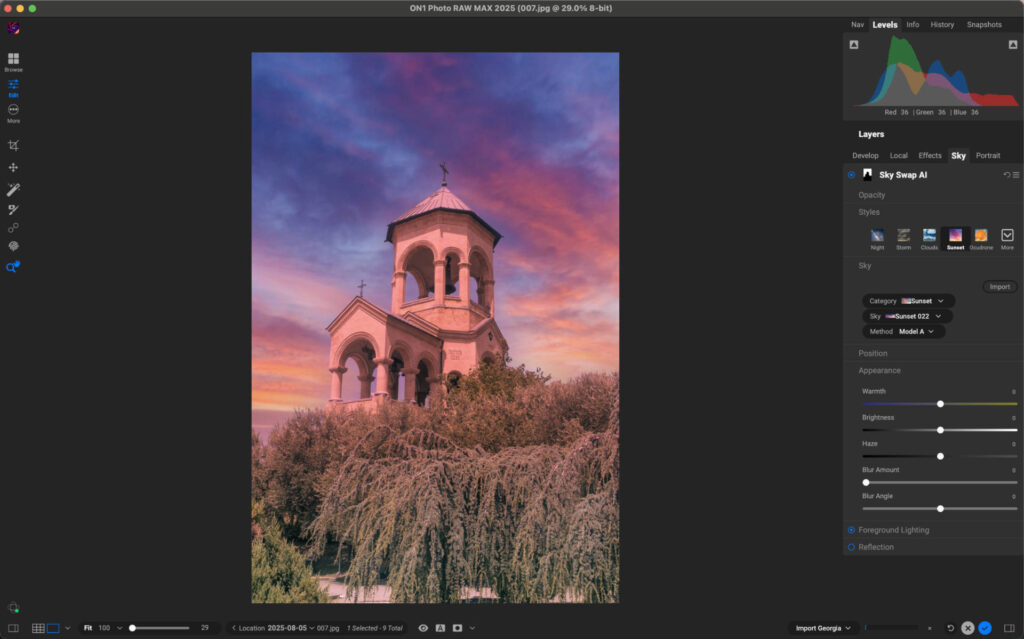
ON1 Photo RAW Max takes a different approach to AI than most of its competitors. Rather than bundling everything into a single package, it lets you expand the software with specialized add-ons, which makes it a good fit for photographers who want to pay for what they actually use.
NoNoise AI is one of the strongest arguments for the platform. Noise reduction has traditionally been a weak point in all-in-one editors, but ON1’s dedicated tool holds its own against standalone solutions and keeps fine detail intact where others tend to smear it.
Resize AI tackles a problem that comes up more often than expected. Cropping aggressively, printing large, or recovering an older lower-resolution file all put image quality at risk, and this tool scales images up without the usual softness or pixelation that comes with it.
Portrait AI keeps things practical by combining automatic retouching with enough manual controls to dial it back when the default result goes too far. It’s a more forgiving tool than fully automatic alternatives.
Keyword AI is the quiet workhorse of the bunch. Automatic tagging won’t mean much on a single shoot, but across a library of thousands of images it adds up to a serious amount of time saved during search and file management.
My Real-World Experience
I was impressed with ON1’s noise reduction, it felt natural and didn’t over-smooth my images. Performance was rock solid even when I had multiple browser tabs open in the background.
I also appreciated the community aspect: ON1 Plus gives access to a network of photographers for sharing edits and feedback, which makes it more interactive than other options.
Pricing
- Perpetual License: $89.99 (two devices)
- Annual Subscription: $79.99 (three devices + 200GB cloud)
- Everything Plus Plan: $129.99 (five devices + 1TB cloud + training access)
A 30-day free trial is available, making it easy to test before committing. Sign up for ON1 RAW Max.
Final Thoughts: Which AI Photo Editor Should You Choose?
Choosing the right AI photo editor really comes down to how you like to work. If you want a full suite of AI-powered tools that can handle everything from sky replacements to powerline removal, Luminar Neo is the clear winner. It feels fast, intuitive, and offers the perfect balance between automation and creative control. The fact that you can buy it outright without being locked into a subscription also makes it one of the best value options out there.
If you want an editor that works like you — learning your personal style and handling the heavy lifting in the background — Imagen AI is hard to beat. It’s one of the best options available for photographers who want a truly hands-off, personalized editing workflow.
That said, Lightroom remains the go-to choice if you prioritize cloud storage and syncing across multiple devices. Its AI tools are more subtle but work flawlessly in a professional workflow.
For my workflow, Luminar Neo edges ahead, but any of these editors could easily become your go-to depending on what matters most to you. Use promo code THEMFRAMES10 for an extra 10% discount.
Which AI photo editor will you choose? Are you for or against AI photo editing apps? Let me know in the comments. Thanks for reading.
More reading: The Best Photo Editing Software for Beginners
Want your work featured on Them Frames? Pitch us.
FAQs
Which is the best AI for Photo Editor?
For me, the best AI photo editor in 2026 is Luminar Neo. It offers the widest range of AI-powered tools while still giving you full manual control when you want it. It’s quick, intuitive, and works just as well for beginners as it does for seasoned photographers, which is why it stands out from the competition.
Can ChatGPT edit photos?
ChatGPT is not a photo editing tool and shouldn’t be used as one. It can sometimes adjust your exposure, but the results are inconsistent and anyone looking to edit photos should look for a dedicated image editing app.
What are the risks of AI photo editing?
One of the main concerns is intellectual property. Some AI systems may use your images to further train their algorithms, which raises the possibility of your original work influencing outputs that look similar to your style. While this doesn’t always happen, it’s worth being mindful of the terms and conditions of any AI-powered service you use, especially if protecting your creative work is a priority.
Article updated April 4th, 2026 to ensure all current information is accurate and too add new services after a fresh round of in-house testing.
Read our Affiliate Statement.