ISO100 Review: Is This The Right Step Into Website Building?

ISO100 is a basic website builder that serves as a safe haven for photographers who want to showcase their work away from social media, but don’t want the stress of learning HTML or vibe coding. But is it too simplistic for serious photographers? I’ll share my thoughts in this in-depth review.
Because I’m regularly testing the best website builders for photographers, the developer behind ISO100 reached out and asked if I was willing to test drive the product. I was happy to oblige, and of course, my thoughts on what’s on offer remain unbiased and completely editorial.
Unlike other solutions like Squarespace or Wix, which target a broad spectrum of users, ISO100 is designed purely for photographers. This is reflected in its simplicity, where the website templates remove the fluff and help you put your best work front and center of the web page.
ISO100 at a Glance
- Verdict: ISO100 gets the basics right, and certainly can add value to photographers escaping social media. For serious professionals, it lacks too many tools like client proofing, real-time booking and search engine optimization.
- Who it’s for: ISO100 is for photographers looking for a basic platform to showcase their work.
- Skip it if: You want an all-in-one platform to showcase your work and manage your photographer business.
- Price: Free (no custom domain), $8/mo on an annual plan, or $12/mo month-to-month.
- Tested on: MacBook Air M5
Pros:
- Very nice templates that are easy to install
- Good free plan
- Embedded Amazon Affiliates
- Sites look great on mobile
- Simple, affordable pricing
Cons:
- No proofing tools
- Home page can get cluttered
- Lacks SEO tools
- 50GB storage cap, even on the paid plan
- No watermarking for client galleries
Website Templates
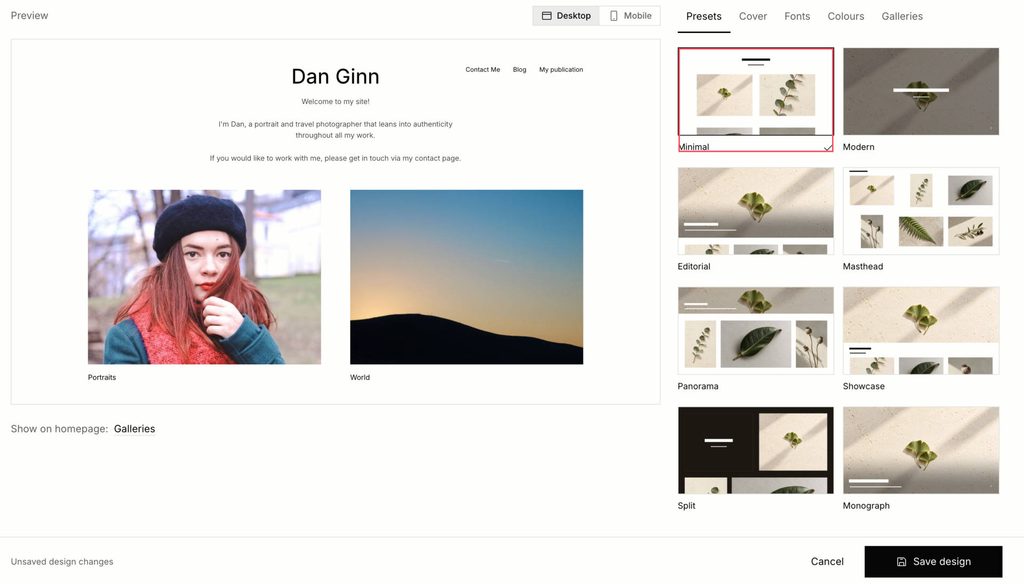
ISO100 is quick to get started with, and I had a live website within 30 minutes. After signing up for an account, my first task was to select the design for my website. There are nine options available, and they differ mainly in aspect ratios for your images. You can blend square format with vertical formats, have a large hero image at the top of your page, or simple rows for all of your galleries.
One thing I noticed is functionality only allows for downward scrolling on your homepage. As a portrait photographer who uses FORMAT for my professional website, I do like giving people the option to scroll left to right through full bleed portrait shots when they visit my website.
After selecting your template, there’s room to do some customization. You can decide how compact your galleries are, for example if you prefer them tightly positioned together, or with more breathing space. There’s no flexibility like you find on Squarespace or FORMAT, both of which let you fully customize your home pages with any aspect ratio you want.
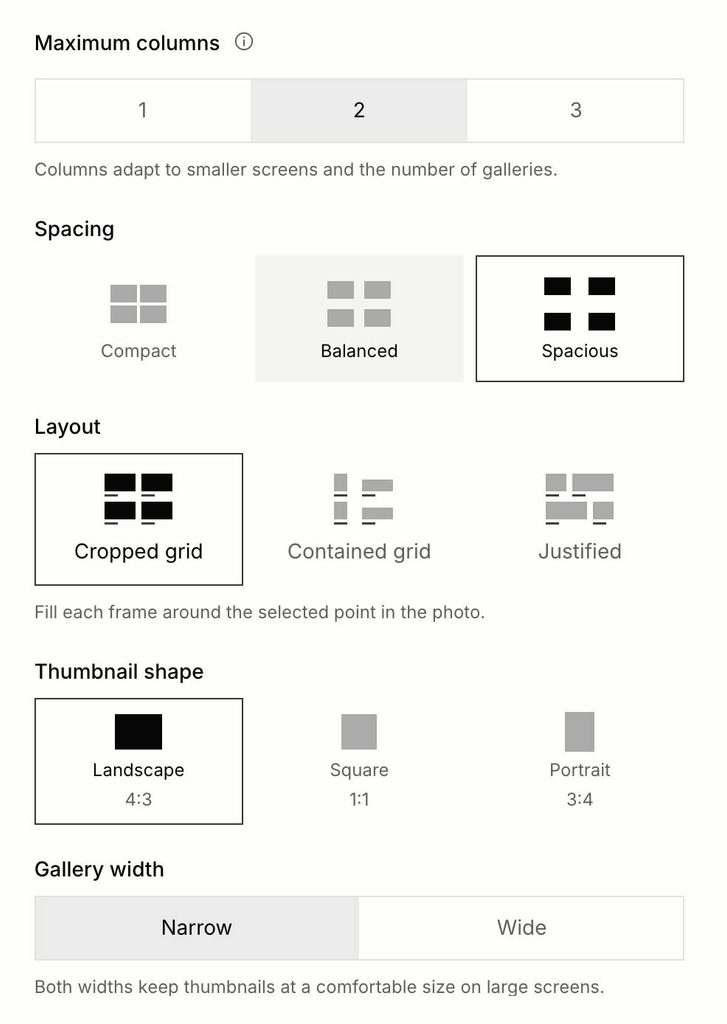
ISO100 gallery customizations.
Colors and Fonts are customizable. For your site background you can choose from a range of soft colors, ranging from neutral to warm. I chose neutral as I prefer that full clean output for my website. There’s no color editor with HEX code functionality for total control.
As for the Fonts, I found that they were classy and stylish, diverse enough to tick boxes for different genres. The option to upload Google Fonts is a good tool to have for those unsatisfied with the stock options.
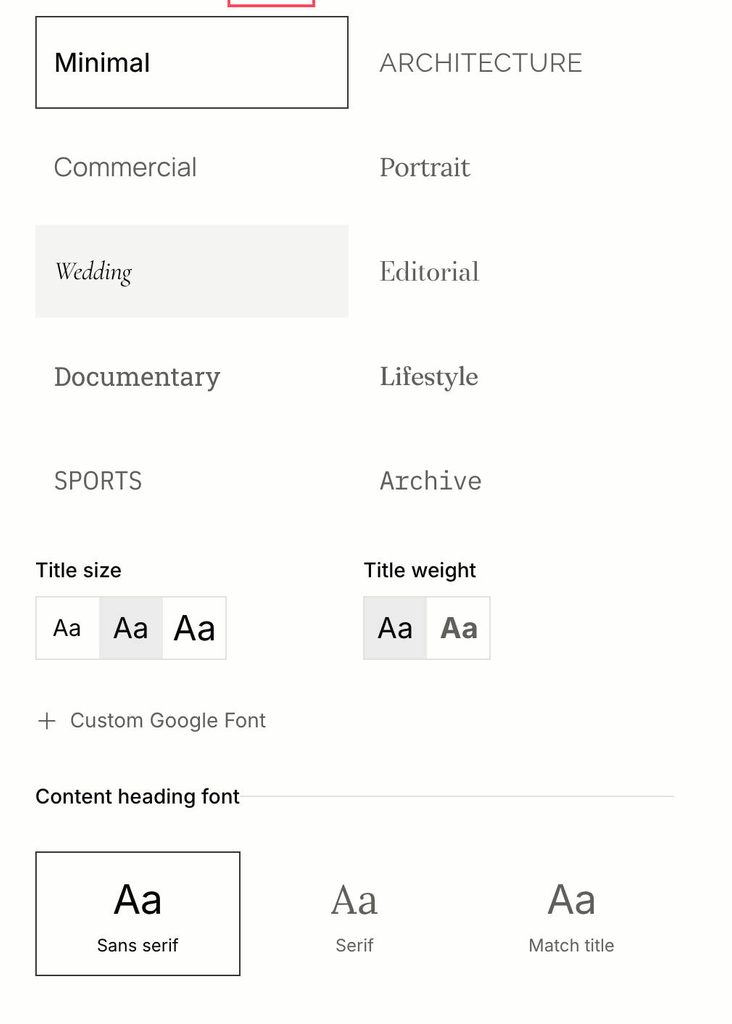
IS0100 Fonts.
Mobile Experience
ISO100 sites scale automatically for mobile, and I had no issues viewing my portfolio on my phone. Menus are easy to find, and photos resize to suit mobile screens, which makes browsing your galleries smooth. The downward scrolling I mentioned earlier also makes more sense here, as it suits how people browse on a phone.
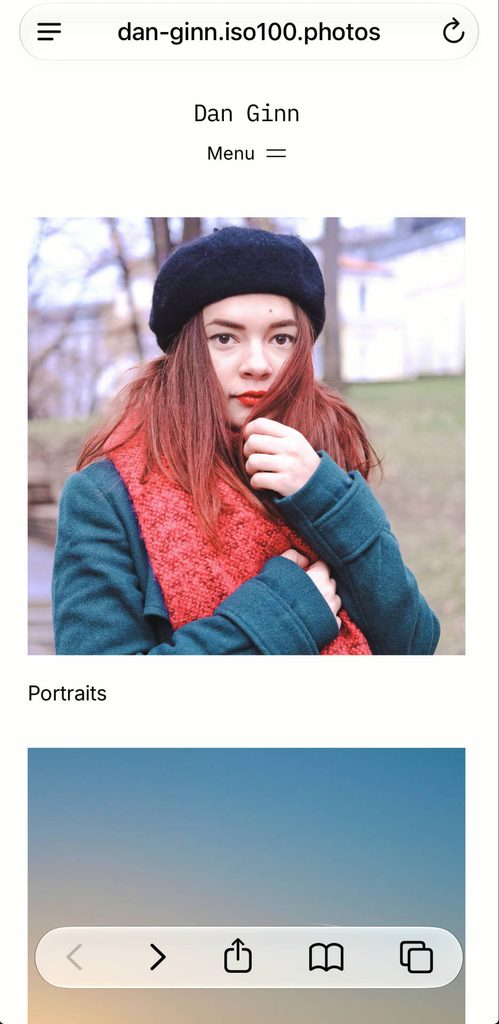
Photo Editing Tools
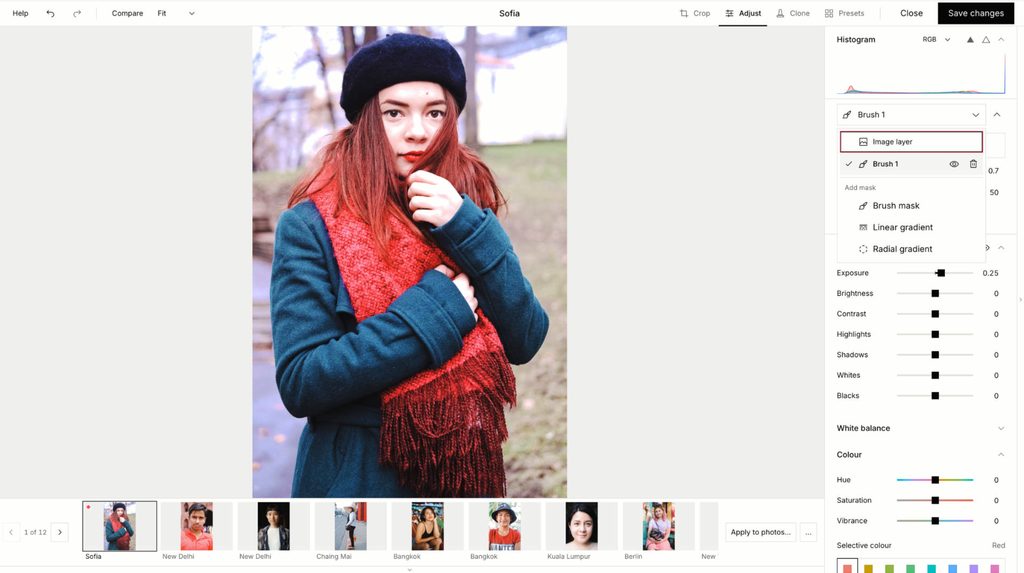
ISO100 also includes a built-in photo editor, though there’s no RAW support, so you can only edit JPEGs after uploading them to your account. The adjustments are very sensitive: when I raised the exposure by just 0.2, the highlights blew out straight away. Color control is imprecise too. Moving the red HSL slider also shifted other warm tones, rather than targeting the reds alone.
You do get some basic masking tools, with brush, linear and gradient options. However, most photographers building a portfolio have already culled and edited their best shots before uploading them, so I’m not sure who the editor is aimed at. I appreciate the effort to add more value, but ISO100’s real strengths lie elsewhere.
If you need a dedicated editor, check out my selection of the best photo editing software.
Building Pages
ISO100 gives you the option to build separate pages for your online portfolio. Beyond the homepage, you can create an About Me page and a Contact page. As is the ethos of the service, they’re very basic in functionality.
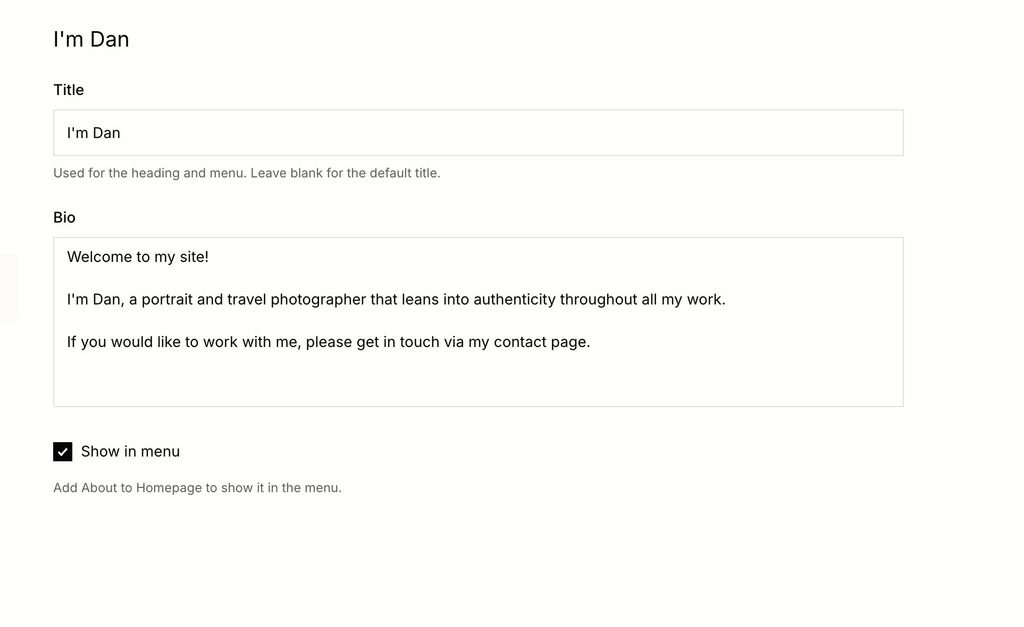
You can add some text and a title in your About Me section, allowing you to give visitors an overview of who you are. You can’t embed links in the text though, and there is a 5000 character limit, which will surely be a barrier for photographers wanting to share information about their work, their resume and link to publications and recognitions.
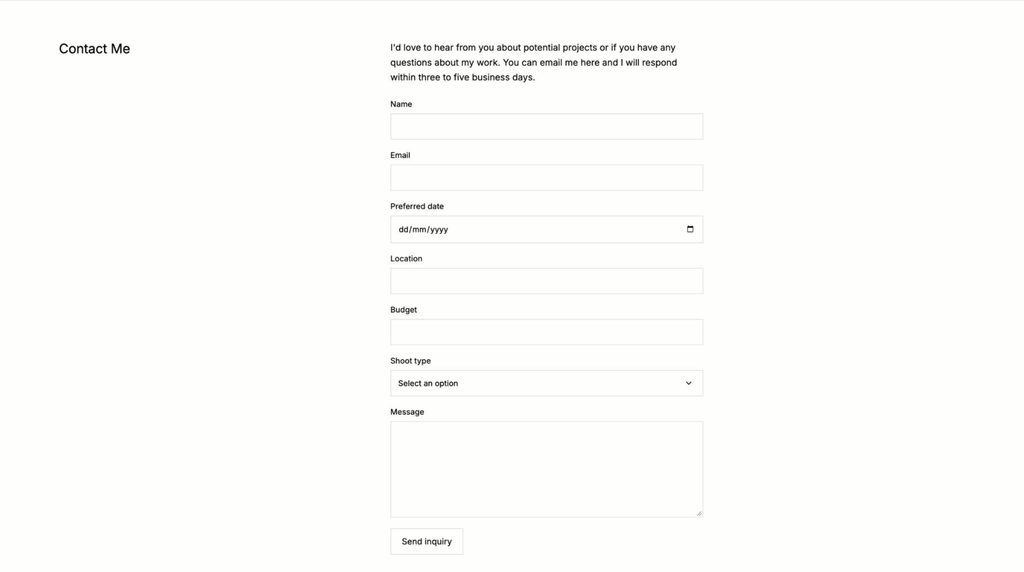
The Contact form is really good, and it’s super easy to build. You can have a simple form layout where visitors can write a message and input their details. And, you can also add fields where they can add a desired date, location, and budget for working with you and hiring your services.
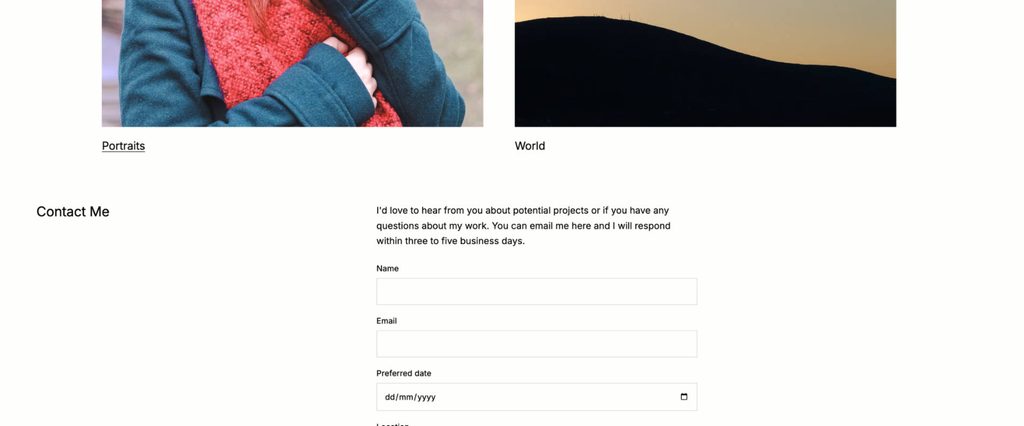
One slight design gripe I have is where this section of the site shows up. As is normal, they live in a top menu and visitors can click on them to open a new page. But, for reasons unknown, your About Me, Contact Me, and other pages are also visible on your home page – I’ve not found a way to stop this. The result is a slightly messy home page, which needs changing in future updates.
Selling Tools
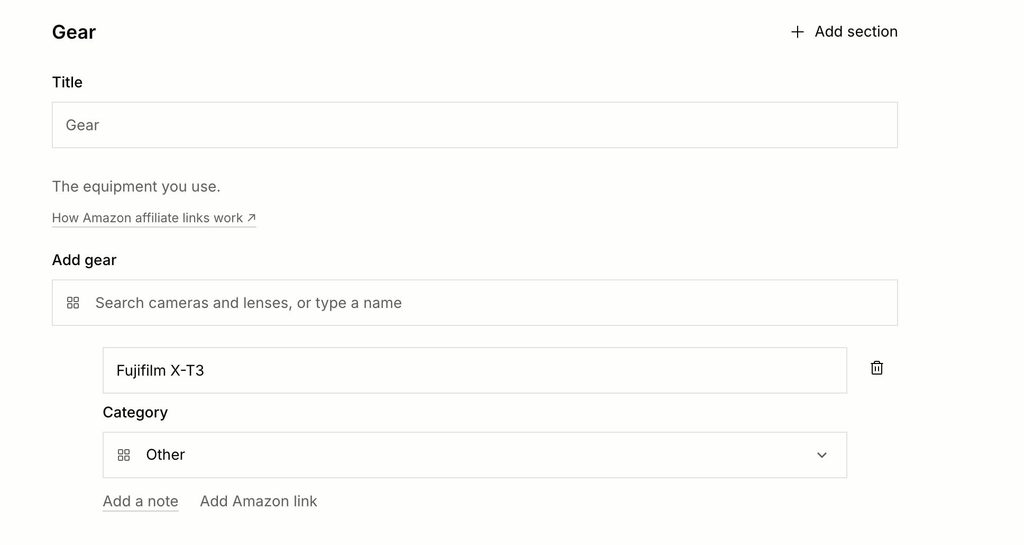
A cool feature I’ve seldom seen elsewhere is a dedicated tool for Amazon Affiliates. You can add the gear you use and embed the links inside the copy. You can technically do this on all website builders, simply by embedding the link in your text. But, ISO100 is the first website builder I’ve seen to have a dedicated Amazon Affiliates section in their design.
You can sell your images too for licensing. If you mark an image as “Paid” people can purchase the full resolution digital file, with the option to include Metadata too. You need to connect a Stripe account, and you can set your own pricing too. This is a useful feature for architectural photographers or photojournalists looking to lease their photography.
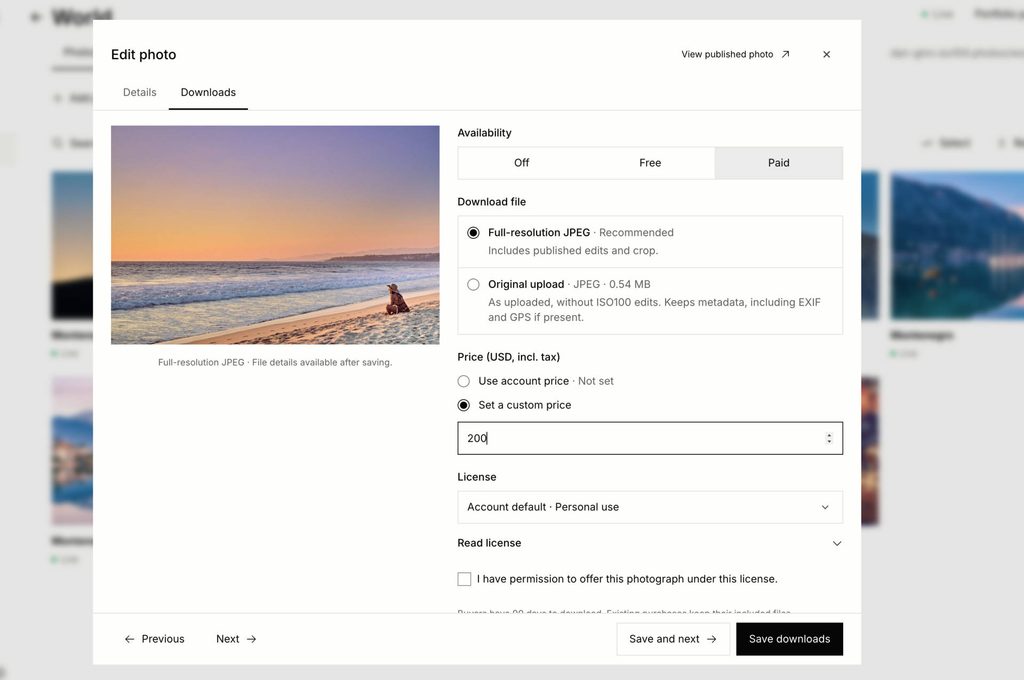
ISO100 falls short of being a fully e-commerce option for selling tools. Unlike SmugMug for example, there’s no option to sell prints, mugs and photobooks for your photography, so keep that in mind if you’re a wedding photographer.
Blogging Tools
For the blogging photographer (like me) you’ll be pleased to read that ISO100 has a dedicated space for you to build your blog. The blogging tools are basic, akin to old-school WordPress but with a more modern design. You can add text, embed photos and video (through YouTube and Vimeo) and format your articles with different headings.
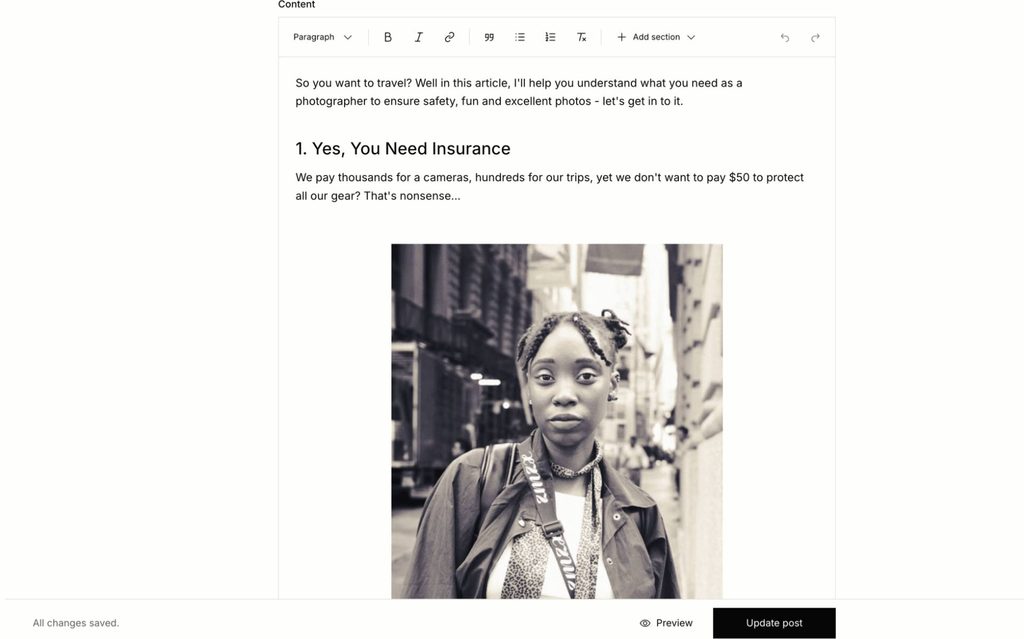
Creating a blog post was simple. And for those who want a simple space to share their thoughts about photography, it’s totally fine.
However, if your main goal of blogging is to rank on search engines, you’ll hit a brick wall with ISO100. At the time of writing there’s no space to add a meta description or an SEO title. You’ll struggle to rank against photographers using the likes of Squarespace for search engine optimization.
This is a site wide issue by the way, as ISO100 has no solid SEO tools currently available in the platform.
Client Galleries
In theory, you could use ISO100 to send galleries, though I wouldn’t recommend it as the tools are limited.
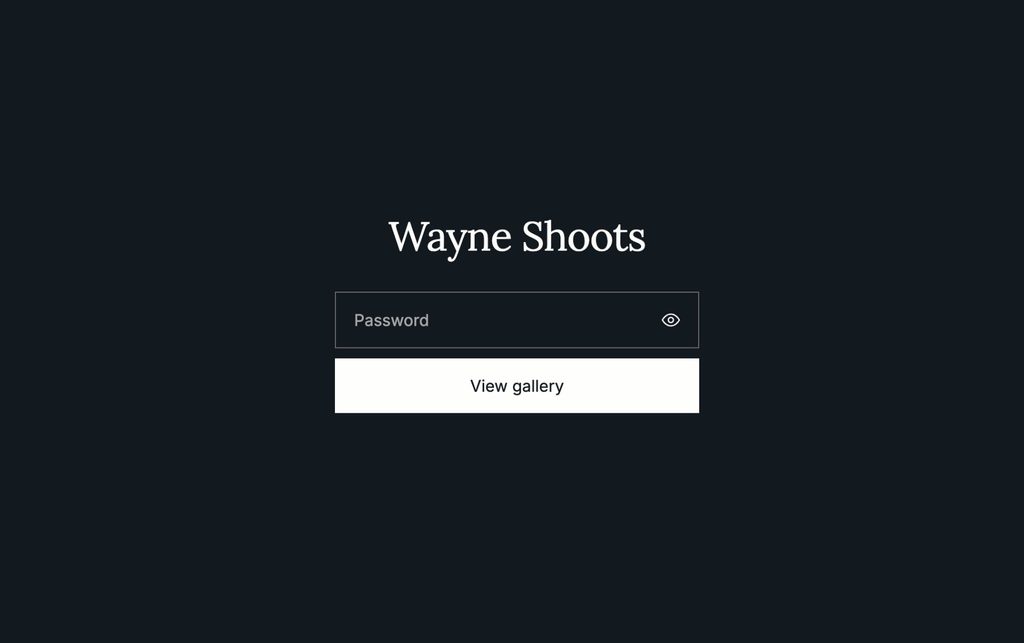
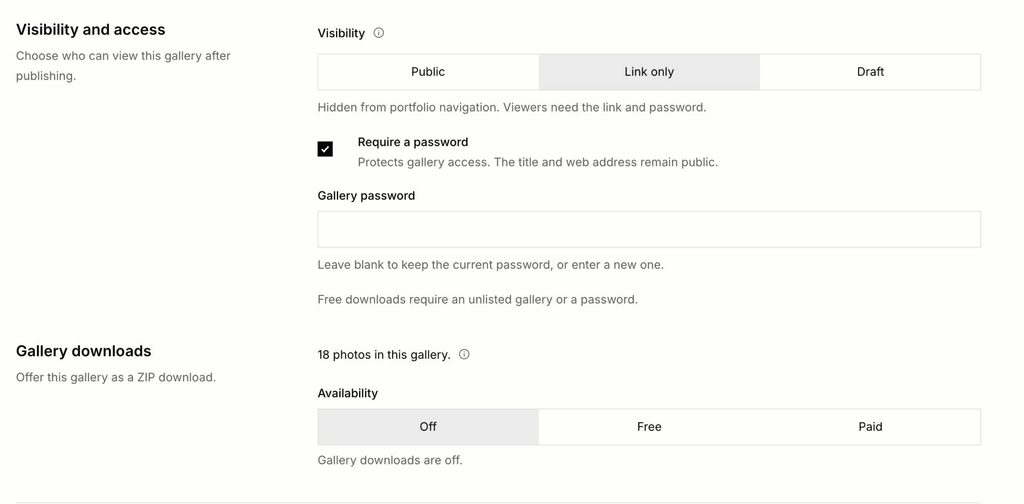
You can upload images into galleries, let’s say for example ‘Wayne’s Headshots’, and set it to a private listing so only people with the link can view the photographs. You can password protect the gallery too, plus customize the URL to create a link that’s relevant to the gallery.
However, there are key limitations. For example, there’s no space for clients to add comments on images, nor can they approve or decline specific images they want to keep or omit. Another key feature lacking is the option to add a watermark across the photo so clients can’t just screen grab them, so you’ll need to do this manually with a third party app.
If you simply want to share final images with your clients, rather than using one of the best cloud storage for photographers, then you can. There’s the option to allow downloads, for individual images or as a ZIP for the full gallery. Be aware even on the paid plan your file storage is limited to 50GB, so this won’t be the right option for anyone beyond light use.
Free Vs Paid
ISO100 keeps its pricing structure simple, which I’m a fan of. You can choose the free option and one paid option.
ISO100 Free
- Add up to 250 photos
- Get 5GB of storage space
- Create up to five galleries
- Display in high quality
ISO100 Paid
- Add up to 5000 photos
- Get 50GB of storage space
- Create unlimited galleries
- Create multiple pages and blogs
- Use a custom domain
- Access sales and visit reporting tools
The free option is for a photographer who wants a space to create some galleries, and wants to make the layout for their images look cleaner than say Instagram for example. The free plan isn’t for you if you’re a working photographer or even just getting started in your professional journey. If that’s you, you’ll need to create a paid account.
How much does ISO100 cost?
You can pay for either an annual subscription or pay month-to-month. The annual option gives you the best bang for your buck across a 12 month period.
- Month-to-month: $12/mo
- Yearly: $96/yr (equivalent to $8/mo).
ISO100’s paid plan is cheaper than the entry-level plan on Squarespace, and pretty much on a par with the entry-level option on FORMAT. For photographers who only need a clean portfolio, that’s good value. Just keep in mind FORMAT includes more business tools for a similar price, but fewer gallery options than ISO100.
The Verdict
One thing to keep in mind, ISO100 doesn’t have the financial backing the likes of Wix, Squarespace et al have in their locker. This is a one person does it all affair, with a single developer creating the product for photographers to use.Keep that in mind and I’d say I’m very impressed with where the website builder is currently at.
ISO100 ticks several boxes: good design options, selling tools and, perhaps most importantly, a very easy website builder to use for photographers who don’t like the idea of building a website due to perceived complexities.
Like I say, there are limitations, and that’s why I can’t recommend it as a Squarespace alternative or a differing option for those using more powerful, business driven website builders for photography.
But, if you’re the photographer who wants a professional looking space, and to give people the option to contact you and hire your services, ISO100 is certainly worth your consideration.
I say try the free account to see if it’s for you. If you like, you can switch to paid.