
Luminar Neo and Capture One are two of the best photo editing tools available right now, and for good reason. I’ve tested both extensively, putting each through real-world editing sessions to see how they actually perform. In this Luminar Neo vs Capture One comparison guide, I’m breaking them down side by side across every major category so you can work out which one belongs in your workflow.
The short version: Luminar Neo is one of the best photo editing software for beginners through to enthusiasts, while Capture One belongs firmly in the professional conversation. Neither is definitively better, they are built for different photographers, and by the end of this guide it should be clear which one is right for you.
| Best For | Price | Platform | Skill Level | |
| Luminar Neo | Beginners, enthusiasts, content creators | From $119 | Mac, Win, iOS, Android | Beginner to enthusiast |
| Capture One | Professional photographers | From $17/mo | Mac, Windows, iPadOS | Experienced to pro |
Luminar Neo vs Capture One: Features
Luminar Neo covers a wide range of tools, from familiar manual adjustment sliders to more ambitious AI-driven features. Exposure, contrast, highlights, shadows, and a full HSL panel are all present, alongside dedicated AI tools like sky replacement, object removal, and the newer AI Assistant.
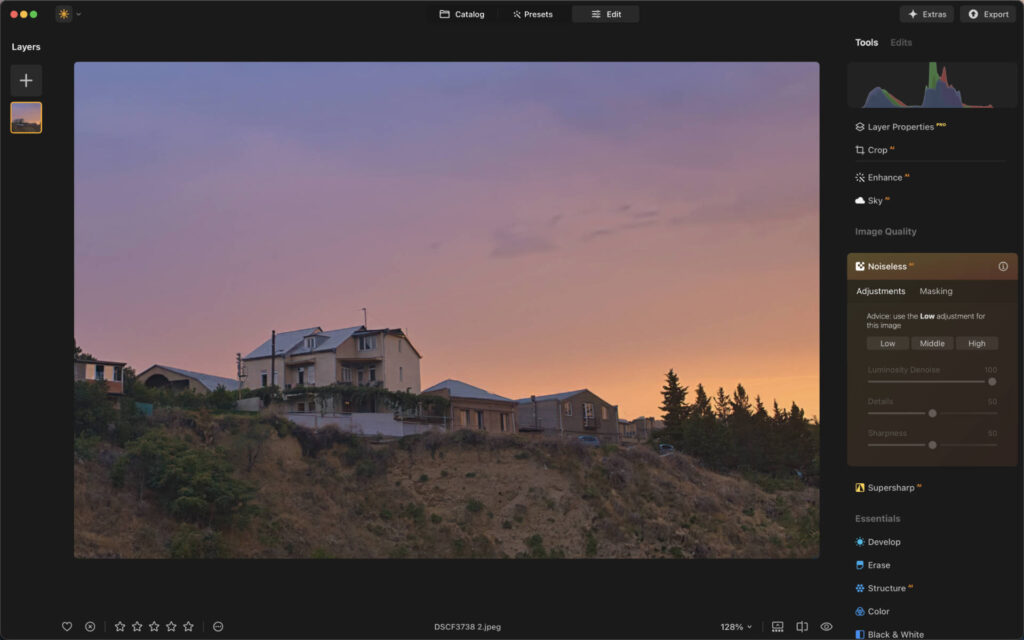
Luminar Neo.
Capture One’s feature set is built around precision rather than novelty. The core adjustment tools are arguably the most accurate in any photo editing software on the market, and the tonal curve tools give you a level of control that genuinely matters when editing for print or commercial use.
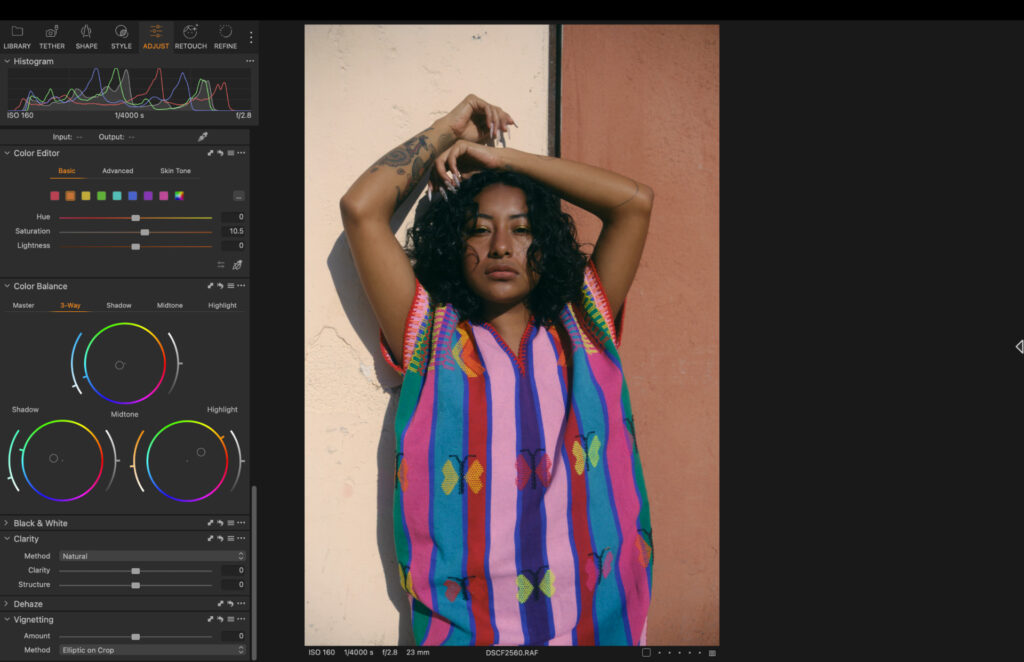
Capture One
More recently, Capture One has added AI-powered masking that lets you isolate specific elements, including eyes, lips, and clothing. The Match Look feature is also worth calling out. You drag any image into the software and it applies that image’s color grading to your current edit, which is useful when borrowing a look you haven’t created yourself.
For features, Capture One carries more depth for professional work, but Luminar Neo offers a broader creative toolkit that’s easier to explore without prior experience.
Luminar Neo vs Capture One: AI Tools
AI is central to the Luminar Neo experience, though it never feels forced. The sky replacement tool is one of the better implementations I’ve tested, and object removal is now competitive with the likes of Photomator in everyday scenarios, but not quite on a par with Lightroom.
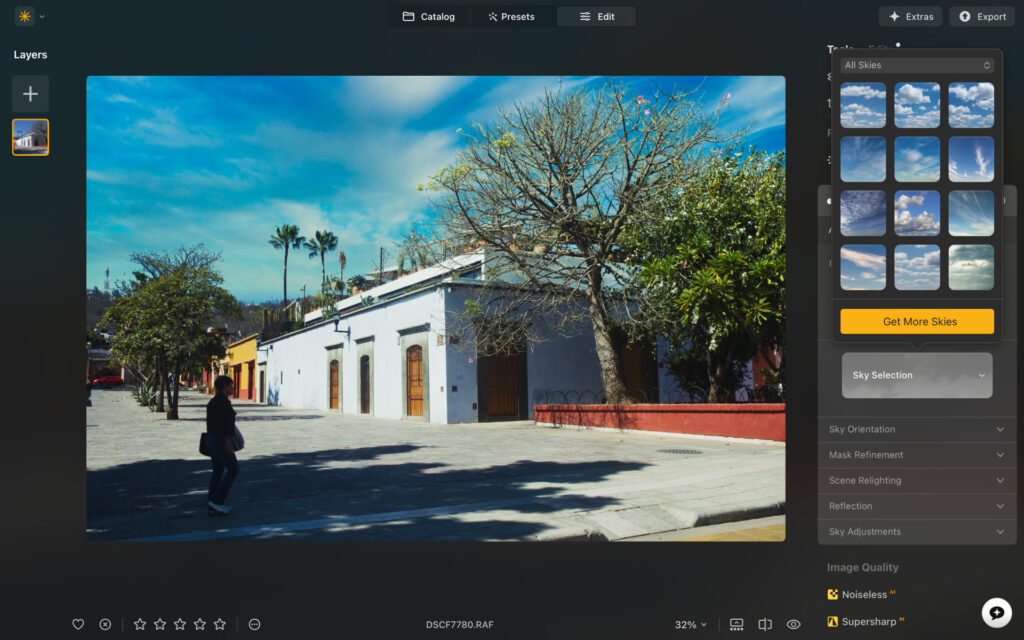
Luminar Neo sky replacement.
The denoise tool did an impressive job in my testing, reducing noise without producing that artificial, painted look.
The AI Assistant lets you type a short prompt and returns three variations of your edit, which is a genuinely fun way to experiment. It’s still in BETA and it struggles with complex follow-up prompts, but for light guidance it does a solid job.
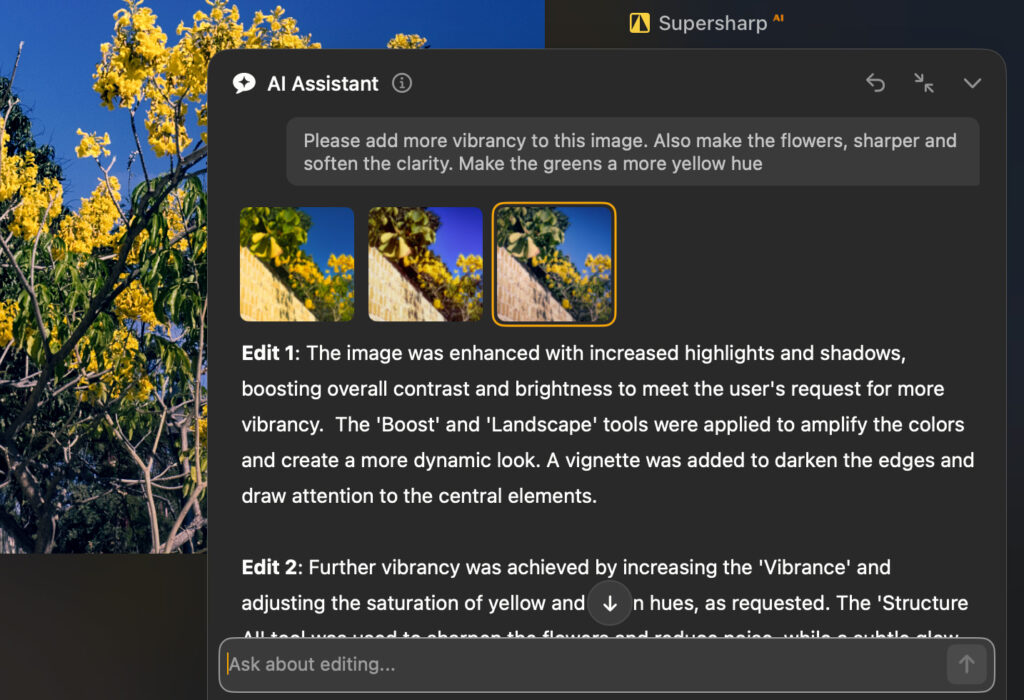
Luminar Neo AI assistant.
Capture One has historically been behind on this front, but it’s closing the gap. The AI masking tools are now genuinely precise, sitting between Lightroom and Aperty in terms of granular control.
The Retouch tool, designed specifically for portrait photographers, lets you make slider-based skin adjustments without reaching for a brush. Skin softening, dark circle removal, and eye enhancements all performed well in my testing.

Capture One AI masking panel.
For AI tools, Luminar Neo is the more playful and experimental option. Capture One’s AI is narrower but highly refined, particularly for portrait and commercial work.
Interface and Usability
Luminar Neo’s design is genuinely enjoyable to use. The color-coded sections make navigation intuitive, and even without prior experience you can find your way around quickly. Each tool includes an info icon that explains what it does, which is a small but welcome touch for those still learning.
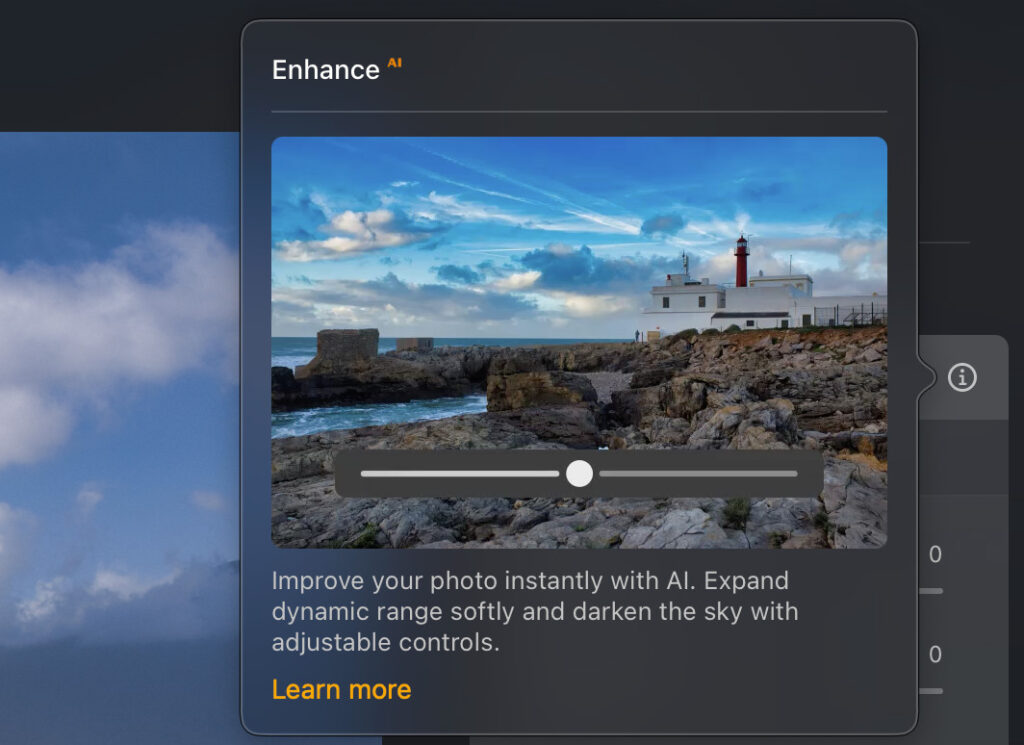
Hovering of the i delivers more information on what tools do in Luminar Neo.
My only real gripe is that some areas feel cluttered. There are three separate sections relating to denoise, for instance, and a more streamlined version of the app would serve most users better. That said, for anyone stepping into photo editing for the first time, this is one of the most welcoming interfaces available.
Capture One’s interface is functional rather than flashy. As a returning user after five years away, the relearning curve was shorter than I expected, but it is not a forgiving environment for newcomers. The left-hand menu has more categories than necessary, and tools like clarity, vignette, and dehaze could reasonably be grouped together for faster access.
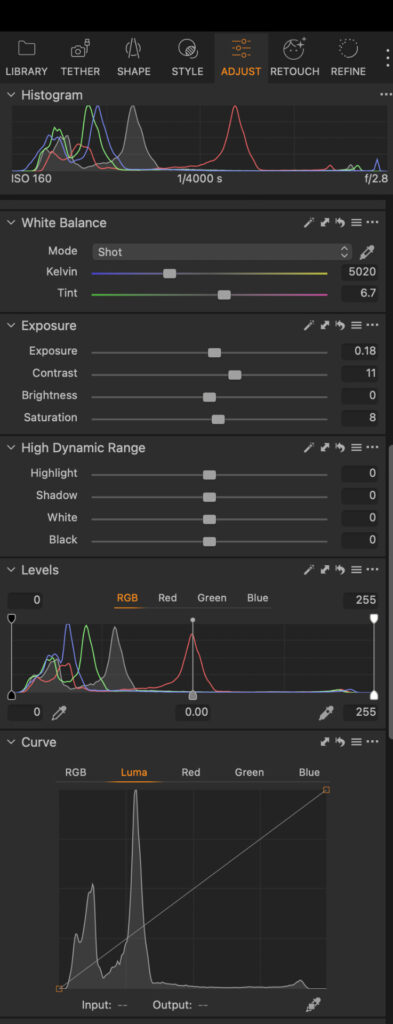
Capture One tools panel.
Once it clicks though, the workflow is fast and logical. Full screen mode is a particularly considered touch, automatically hiding the feature menus to give you a clean view of the image, with everything returning the moment you hover toward any edge of the screen.
For usability, Luminar Neo is the better fit for anyone learning the ropes. Capture One rewards patience and prior experience.
Performance
I initially tested Luminar Neo on a five-year-old MacBook Air M1, where performance held up well enough. Images loaded quickly and edits were implemented without noticeable lag, though it fell slightly short of Lightroom and Capture One in outright smoothness.
I’ve since retested on an M5 MacBook Air, and the difference is significant. On the latest Apple silicon, Luminar Neo runs on a par with other leading photo editing software, and the performance gap I previously noted no longer applies. You can read my MacBook Air M5 review for more details on photo editing performance.

Luminar Neo.
Capture One handled a 30-day test on the same M5 MacBook Air working with Fujifilm X-T3 RAW files at around 60MB each without hesitation. Loading was quick, zooming was smooth, and across the entire testing period I did not experience a single stall or force close.
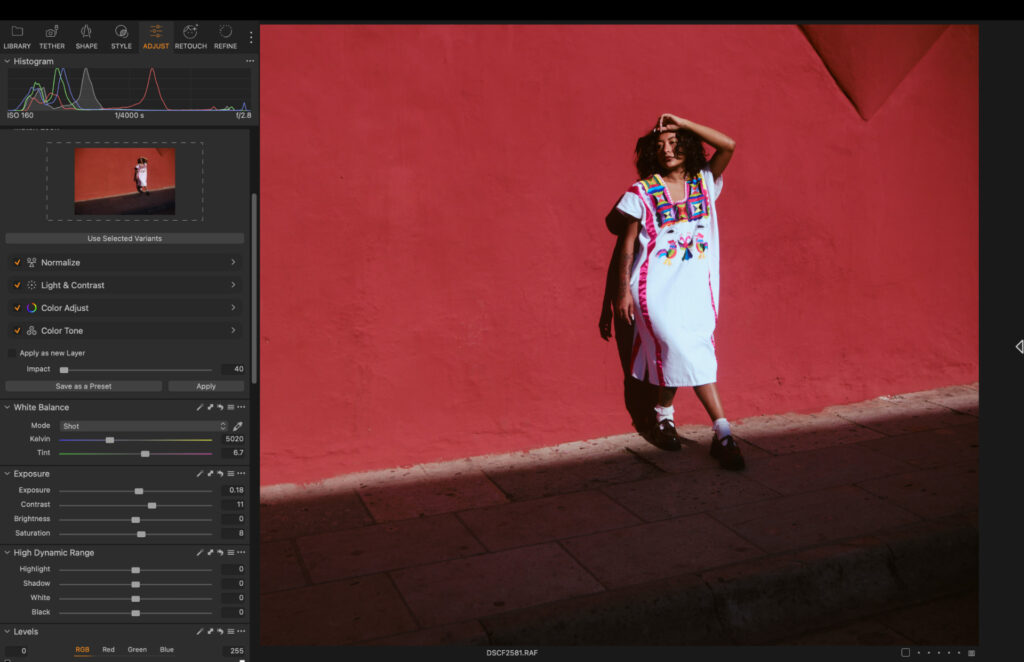
Capture One.
Performance-wise, both editors run very well on modern hardware. If you’re on older silicon, Capture One still has a slight edge, but on recent Apple chips the gap has closed considerably.
Pricing
Luminar Neo’s pricing model is one of its strongest selling points. Rather than locking you into a subscription, you can buy it outright. Three tiers are available:
- Perpetual Desktop License: $119 (macOS and Windows)
- Cross-Device Perpetual License: $159 (desktop plus mobile apps)
- Perpetual Max License: $179 (desktop, mobile, plus an expanded creative library)
Capture One offers both subscription and perpetual licence options:
- Pro (Desktop only): $204 per year ($17 per month) / $26 per month
- All-in-one (Mobile and Desktop): $279 per year / $36 per month
- Studio: $549 per year / $59 per month
- Perpetual Licence: $329 (Pro version)
For most individual photographers, the Pro annual plan at $17 per month is the sweet spot with Capture One. If you want to own your software outright, Luminar Neo’s one-time payment model is far more affordable and delivers genuinely good value for the feature set you get.
Who Is It For?
Luminar Neo is the best photo editing software for enthusiasts and one of the most accessible options for those just starting out. If you’re learning photo editing, posting to social media, selling prints, or creating content, it has everything you need without overwhelming you.
It is also one of the rare editors that offers real creative depth alongside that approachable design, meaning you can grow into it over time. For anyone looking for the best photo editing software for beginners, Luminar Neo belongs at the top of the list.
Related: Honest Long-Term Luminar Neo Review: Read Before You Buy
Capture One is built for photographers who are serious about their output. Studio photographers working in portraits or still life will benefit most from real-time tethering, which works over both Bluetooth and wired connections, unlike Lightroom which limits you to wired only.
For commercial and print photographers, the precision of the sliders is particularly valuable. Accuracy is non-negotiable in those disciplines, and Capture One delivers it consistently. If you’re ready to move beyond a more beginner-friendly editor, it belongs in that conversation.
Related: Capture One Review: The Best Option for Professionals?
My Verdict
These two editors are not really competing for the same user. Luminar Neo is a creative, welcoming, and fairly priced photo editor that suits a wide range of photographers from complete beginners through to enthusiastic hobbyists.
Capture One is a precision instrument built for professionals who need accuracy, control, and a workflow that holds up under commercial pressure. The investment is justified, and once it clicks, it is a genuinely impressive piece of software.
If you are just getting started or want an enjoyable everyday editor with strong AI tools, Luminar Neo is the one to try – sign up here.
If you are shooting commercially or editing at a level where precision is non-negotiable, Capture One is worth every penny – join up here.
The good news is that both offer ways to try before you commit. There is no reason not to spend time with each and see which one fits the way you actually work.
More reading: 3 Best AI Photo Editing Software for Professional Workflows in 2026
This article contains affiliate links. If you buy through them, we may earn a commission at no extra cost to you. Read our Affiliate Statement.