
Earlier in June, popular video editing software, DaVinci Resolve, launched its latest update, which included photo editing capabilities. These new tools and features are free to use, which naturally sparks interest from photographers looking for a free photo editing app. Being curious, I gave the software a quick test run, and I’m here to explain why it’s not for photographers. This isn’t meant to be a full review, just my honest first impressions after spending some time in the new photo tools.
First Impressions
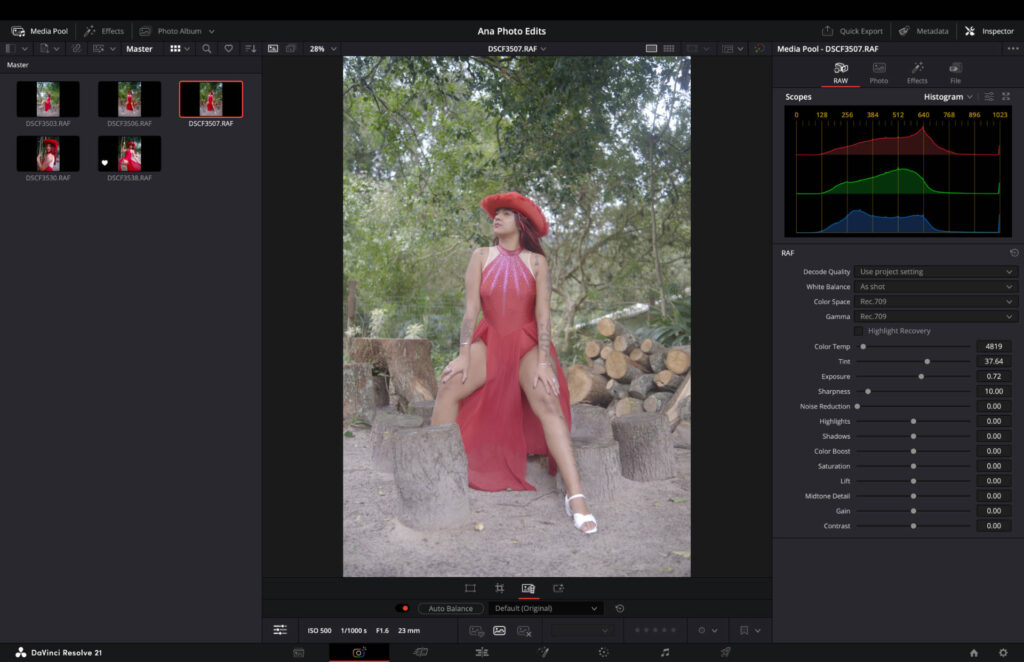
On paper, DaVinci Resolve is saying the right things. It supports RAW formats from Fujifilm, Sony, Nikon and Canon, plus support for the iPhone’s ProRaw format. It has a range of filters for fast, one-click editing. And, of course, you can make standard adjustments to contrast, sharpness, exposure and more.
However, if you compare this to the best photo editing software, DaVinci has clearly not built this with photographers being at the forefront of their minds. Instead, it’s a nice-to-have extension for videographers who need to edit some still images to accompany their video production.
A Steep Learning Curve
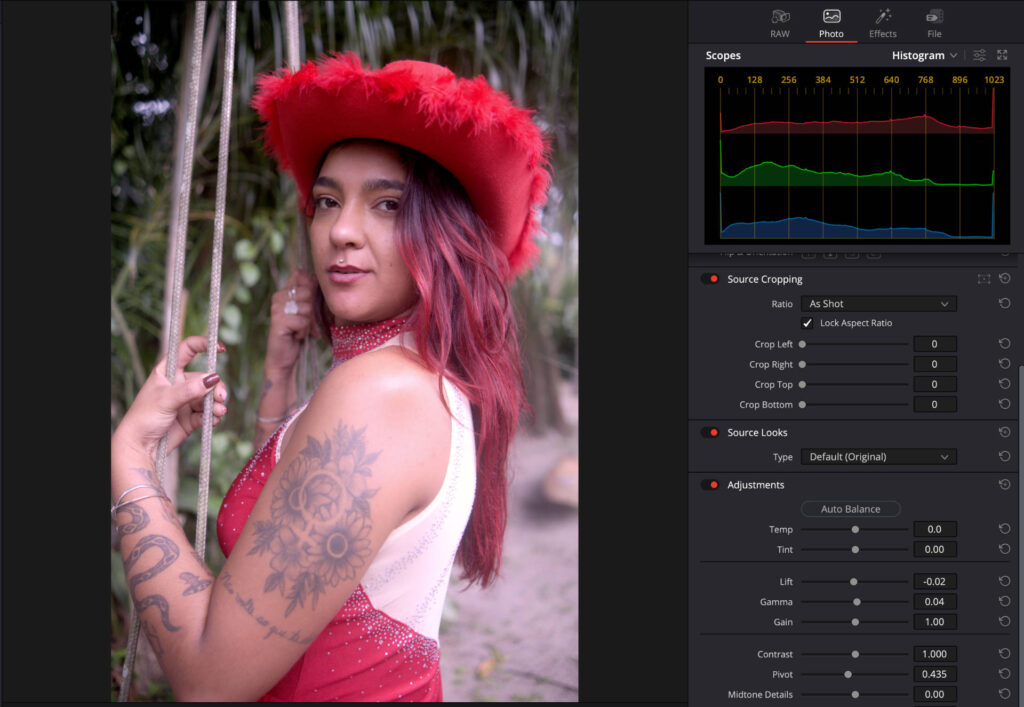
The first issue is the complexity of the software. In my experience, those who tend to use free apps are either beginners or photographers who dip in and out of the artform. When you’re faced with terminology such as Gamma, Gain and Lift, you’re going to be puzzled as to what these are, especially if you’re coming from traditional photo editing software.
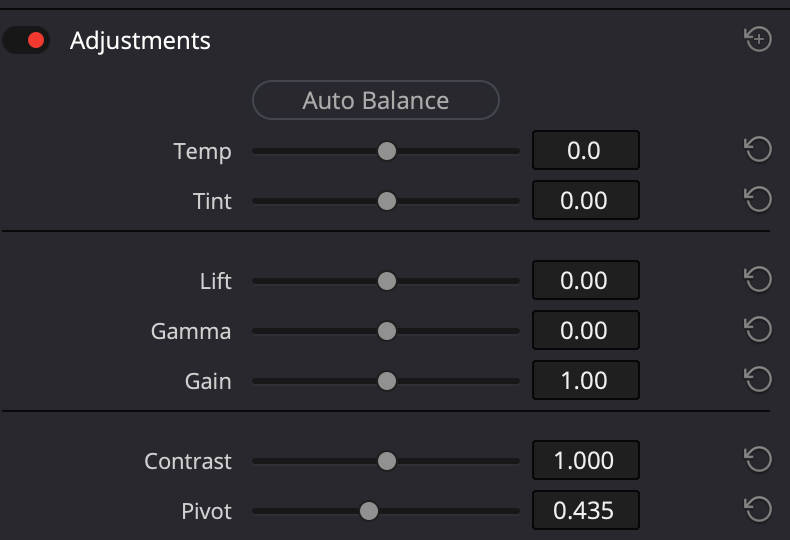
Even if you are familiar with such terms, they’re not great in execution. The Gamma slider lets you tweak your midtones, but, for me, it’s not anywhere near as useful as using a manual curve tool for more refined tonal shaping.
Presets, Layout and an Afterthought Feel
The presets, or filters should we say, are fine, and they can set a good foundation for the edit. But with styles such as cool, warm, B&W and vibrant, you’re not accessing anything you couldn’t use in your smartphone’s standard camera app. And once you’ve worked through the defaults, that’s it, there’s no way to create your own presets and save a look you actually like.
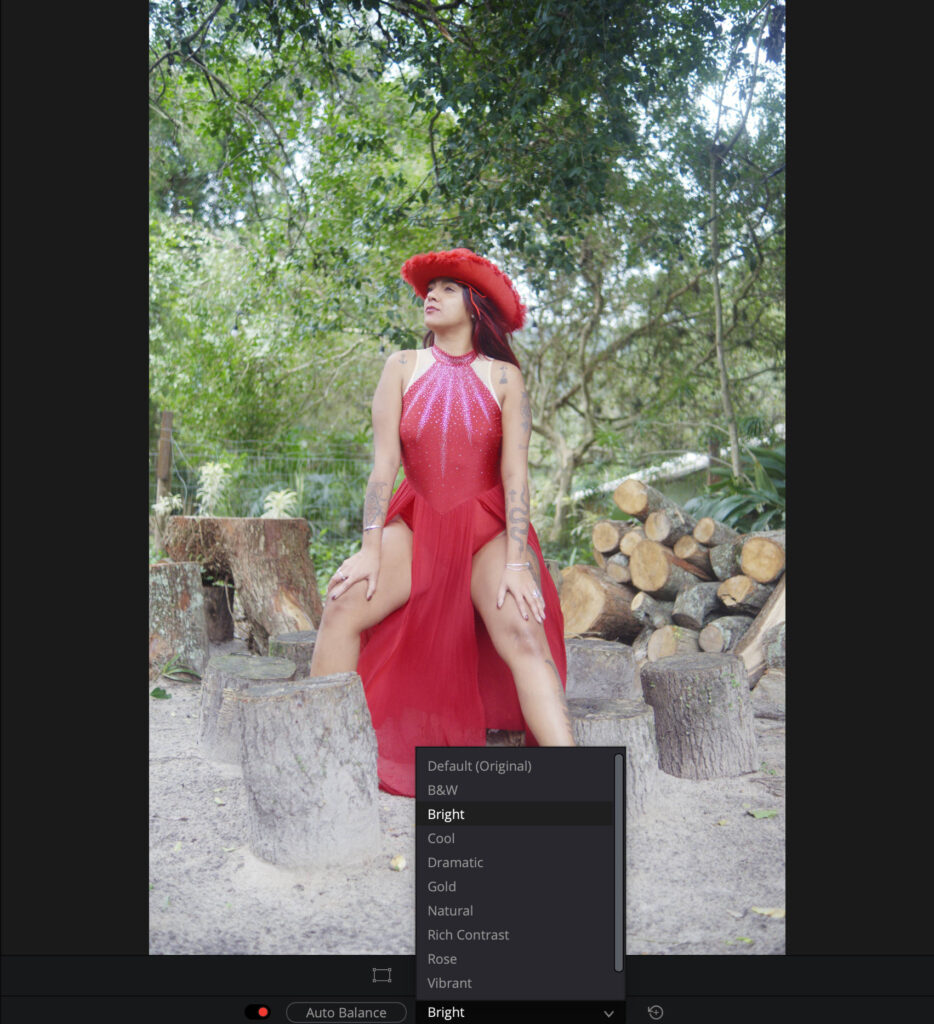
Nine presets are available in DaVinci Resolve.
The workflow gaps don’t stop there. There’s no way to copy and paste edits from one image to another, and no before-and-after view to check your progress against the original. Some might argue these are features you should expect to pay for, and that’s fair to a point. But DaVinci Resolve doesn’t get to lean on that excuse while also burying its photo tools under complex terminology. It’s stuck trying to be both a basic free editor and an advanced one, and it needs to pick a lane. Right now, neither lane is built for photographers.
You also have to consider the layout of the software. Where tools like Lightroom and Luminar Neo have polished user interfaces that make navigation easy and photo editing an enjoyable experience, DaVinci Resolve does not. Again, this isn’t surprising, as it’s a small extension of what the software actually is: a video editing app.
Related: Honest Long-Term Luminar Neo Review: Read Before You Buy
The photo tools seem like a small afterthought, while most of the power and functionality come through its video editing tools. For the record, I actually use DaVinci Resolve to edit videos, so I’m a fan of the software, and wanted to come at this from a more positive outlook. But it’s just not doing it for me.
File Management Falls Short
Continuing with the theme of navigation, another area that’s lacking is file management, at least for photos. You can do the basics, like star-rating your images from one through five, and tapping a like to sort your images into favorites. But for normally simple tasks, like exporting single images, batch exporting and choosing a file format, you’ll likely need a visit to YouTube, Facebook and other community-based support platforms to figure it out.

Can You Actually Get a Good Edit?
Aside from all this, the main question most will ask is: can you create a good photo edit inside DaVinci Resolve 21? The answer is, it depends.
For me – a portrait photographer- the new photo editing capabilities are a dead end. There are no masking tools, so I can’t pinpoint specific areas of my frame to make refined local adjustments. The lack of masking tools will also be an issue for landscape photographers too who rely heavily on linear gradients.
Another issue is how DaVinci processes adjustments. Highlights quickly become blown out, even with the slightest touch of the slider, and the same is true with exposure adjustments. There’s no one rule that fits all either: one slider may be hyper-sensitive, while another isn’t. This makes it hard to have a smooth workflow, and for you to build trust in the software.
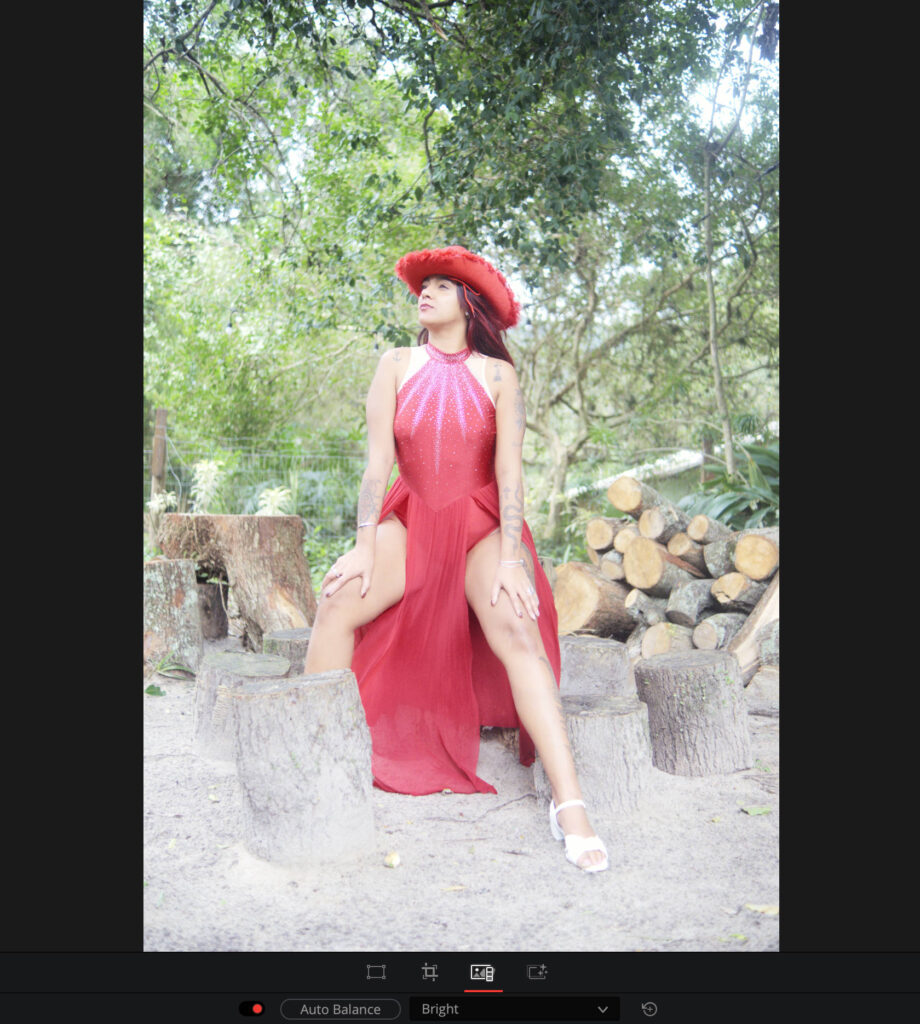
Heavy impact with just one-stop increase in exposure.
With some patience, you can certainly bring more life to the frame. That said, my Fujifilm RAW files looked like absolute trash straight out of the gate, more akin to flat F-Log video footage than standard RAW files. They’re overly flat and hazy, and getting them where they need to be feels like a chore.
Who This Is Actually For
Like I say, this app isn’t for photographers looking to switch from a paid professional photo editor to a free one. And it’s certainly not for the photographer looking to find their way in photo editing. Thankfully, I’ve already reviewed the best photo editing software for beginners if that’s you.
This is just an extension for videographers, and I would argue even that type of user would benefit from using a dedicated photo editor. It’s like when Lightroom offered some video editing functionality, mainly for color grading: it was a case of stay in your lane, you’re doing well there. I think the same is true for DaVinci Resolve.
You can download DaVinci Resolve 21 for free via the Black Magic Design website.
More reading: Can Imagen AI Speed Up Your Editing Workflow? My Test Results